Conveyor's AI Playbook

How to use AI to transform
Customer Trust at your company

AI is reshaping knowledge work, including how Security teams build trust with buyers. Now is the time to transform your Customer Trust Program.

AI is reshaping knowledge work, including how Security teams build trust with buyers. Now is the time to transform your Customer Trust Program.

AI is reshaping knowledge work, including how Security teams build trust with buyers. Now is the time to transform your Customer Trust Program.

WHY AI IS IMPORTANT FOR CUSTOMER TRUST

The future of Customer Trust in an AI first world

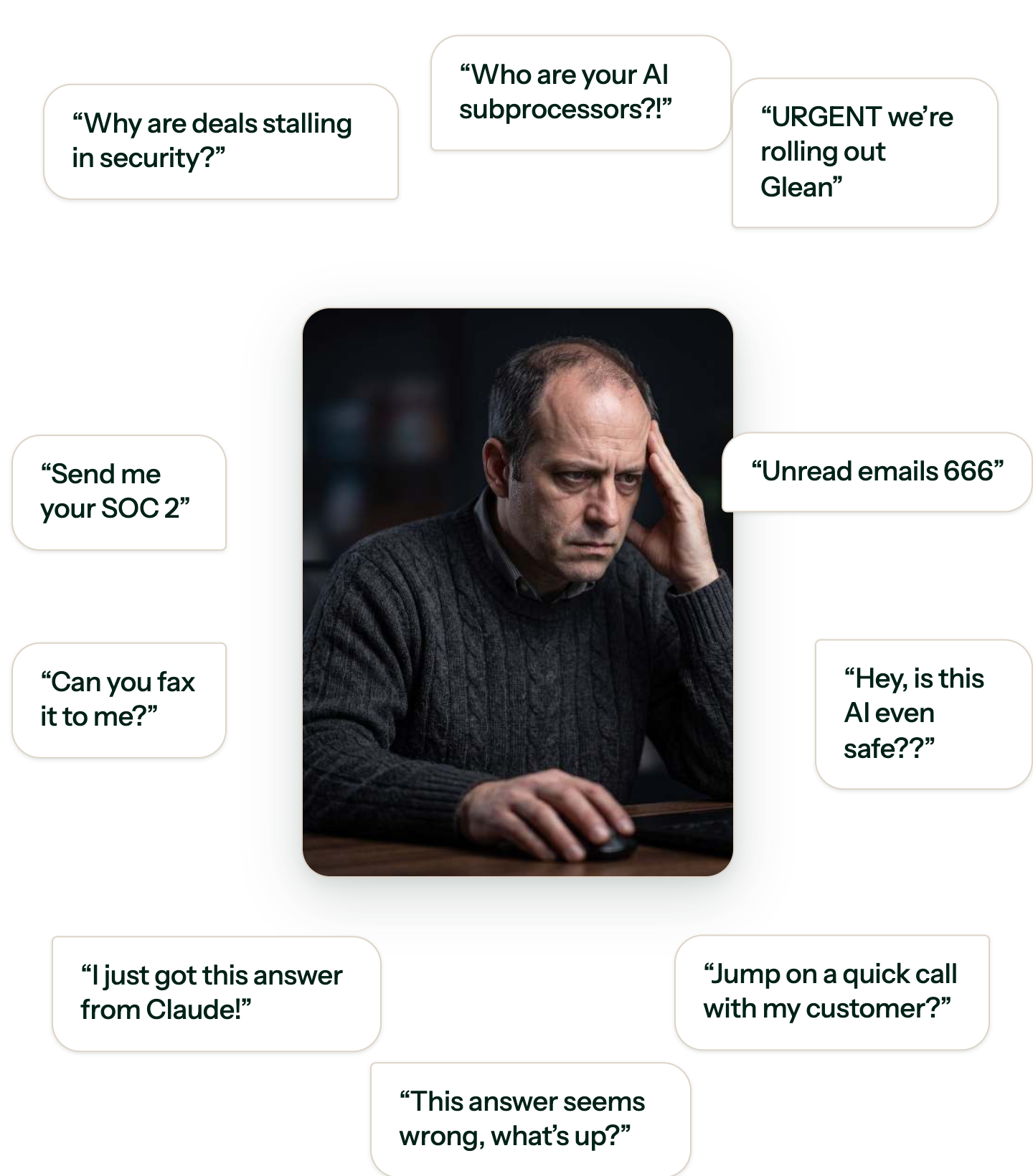
AI is moving faster than most InfoSec and GRC teams can track. Inside your company, new tools are rolling out and gaining access to systems before anyone reviews the risk. Sales teams are already using AI to move deals forward without security in the loop. They are answering security questions they probably shouldn't, and creating new risk in the process.

You have two options: fight AI, or adapt with it. What we see is clear. Teams that fight (force sales into a rigid security workflow) are struggling. Teams that embrace AI and adapt are winning. Instead of making sales follow a fixed process, they let sales use AI to respond to customers the way they want, with the right guardrails and controls built in.

This new approach is AI-first Customer Trust. It's the future of how you'll work with sales to build trust with prospects and customers.

AI is moving faster than most InfoSec and GRC teams can track. Inside your company, new tools are rolling out and gaining access to systems before anyone reviews the risk. Sales teams are already using AI to move deals forward without security in the loop. They are answering security questions they probably shouldn't, and creating new risk in the process.

You have two options: fight AI, or adapt with it. What we see is clear. Teams that fight (force sales into a rigid security workflow) are struggling. Teams that embrace AI and adapt are winning. Instead of making sales follow a fixed process, they let sales use AI to respond to customers the way they want, with the right guardrails and controls built in.

This new approach is AI-first Customer Trust. It's the future of how you'll work with sales to build trust with prospects and customers.

AI is moving faster than most InfoSec and GRC teams can track. Inside your company, new tools are rolling out and gaining access to systems before anyone reviews the risk. Sales teams are already using AI to move deals forward without security in the loop. They are answering security questions they probably shouldn't, and creating new risk in the process.

You have two options: fight AI, or adapt with it. What we see is clear. Teams that fight (force sales into a rigid security workflow) are struggling. Teams that embrace AI and adapt are winning. Instead of making sales follow a fixed process, they let sales use AI to respond to customers the way they want, with the right guardrails and controls built in.

This new approach is AI-first Customer Trust. It's the future of how you'll work with sales to build trust with prospects and customers.

Vendor_Security_Review_v7_FINAL_final(2).xlsx
Urgent · due tomorrow
#
Question
Response
Status
01
Do you encrypt data at rest and in transit? Specify algorithms and key lengths.
Not started
02
Provide your most recent SOC 2 Type II report.
draft
Needs SME
03
List every sub-processor, their location, and what data they touch.
Not started
04
Describe your access control model and least-privilege enforcement.
draft
In progress
05
Confirm in writing that you have never, under any circumstances, used a fax machine.
Overdue
06
How often do you run third-party penetration tests? Attach the last two.
Not started
07
Do you enforce MFA for all employees and contractors?
draft
In progress
08
What is the exact firmware version of the router in your CEO's home office?
Overdue
09
Describe your incident response plan and mean time to containment.
Not started
10
What is your data retention and secure destruction policy?
draft
Needs SME
11
Please re-answer questions 1 through 40, but in the third person.
Overdue
12
Do you support SSO via SAML 2.0 and SCIM provisioning?
Not started
13
Provide evidence of annual employee security awareness training.
draft
In progress
14
List each employee's astrological sign for personnel risk scoring.
Overdue
15
Describe your vulnerability management program and patch cadence.
Not started
16
What is your measured uptime over the trailing 12 months?
draft
Needs SME
17
How many fire extinguishers sit within 3 meters of a server? Round to 0.5.
Overdue
18
Where is customer data physically stored? Name the region and provider.
Not started
19
Describe your business continuity and disaster recovery plan.
draft
In progress
20
Does your change management process require peer review before deploy?
Not started
01
Do you encrypt data at rest and in transit? Specify algorithms and key lengths.
Not started
02
Provide your most recent SOC 2 Type II report.
draft
Needs SME
03
List every sub-processor, their location, and what data they touch.
Not started
04
Describe your access control model and least-privilege enforcement.
draft
In progress
05
Confirm in writing that you have never, under any circumstances, used a fax machine.
Overdue
06
How often do you run third-party penetration tests? Attach the last two.
Not started
07
Do you enforce MFA for all employees and contractors?
draft
In progress
08
What is the exact firmware version of the router in your CEO's home office?
Overdue
09
Describe your incident response plan and mean time to containment.
Not started
10
What is your data retention and secure destruction policy?
draft
Needs SME
11
Please re-answer questions 1 through 40, but in the third person.
Overdue
12
Do you support SSO via SAML 2.0 and SCIM provisioning?
Not started
13
Provide evidence of annual employee security awareness training.
draft
In progress
14
List each employee's astrological sign for personnel risk scoring.
Overdue
15
Describe your vulnerability management program and patch cadence.
Not started
16
What is your measured uptime over the trailing 12 months?
draft
Needs SME
17
How many fire extinguishers sit within 3 meters of a server? Round to 0.5.
Overdue
18
Where is customer data physically stored? Name the region and provider.
Not started
19
Describe your business continuity and disaster recovery plan.
draft
In progress
20
Does your change management process require peer review before deploy?
Not started
SIG Lite
CAIQ v4
VSA
Custom Vendor Q
GDPR DPA
+
0% complete · row 12 of 487
Hover to scroll. It keeps going.

What is Customer Trust, and why does it matter?

Customer Trust is the practice of proving your security posture to the people who buy from you. It answers what prospects ask before they'll sign: security questionnaires, audits, due diligence, and trust center requests.

Without it, you stay reactive: a questionnaire lands, someone scrambles, the deal slows. A real program flips that with a self-healing knowledge library, self-serve answers for buyers and sales, and reporting for leadership. The payoff is speed — when buyers find answers fast, they trust you, and they buy faster.

How is AI changing Customer Trust?

AI is changing Customer Trust from both sides. Inside your company, tools roll out fast and get system access before anyone maps the risk. Sales or support hand a questionnaire to AI and paste back the answer without checking it's right. That's not automation, it's new risk.

Outside, buyers ask harder questions. AI breaches make the news weekly, so security teams are rewriting questionnaires to catch them. Trust teams get squeezed from both sides. The ones getting ahead use AI too — but with guardrails, and answers reviewed by someone who knows the subject.

What does an AI-native Customer Trust program look like?

An AI-native Customer Trust program doesn't fight AI. It puts AI to work across the program, with humans still setting the bar for accuracy.

Start with your knowledge base: AI works like a librarian, flagging stale answers and keeping your source of truth current. Then put it to work for customers, giving your trust center a chat interface that answers instantly or handles a full questionnaire. Extend that same knowledge base into the tools sales already use, so reps get correct answers fast without waiting on your team.

Most teams skip governance. Most AI tools are a black box: no one sees who asked what or how often the answer was right. In fact, 97% of organizations breached through AI lacked proper AI access controls (IBM, 2025). Build it in from the start with access controls, audit logs, and accuracy reporting.

Swipe to the left
AI-Native Customer Trust
Static Customer Trust
RFP Software
Compliance
Software
Knowledge management
AI watches your knowledge base and flags outdated content automatically. Tell Claude to update answers across a library.
You update documents and Q&A pairs manually. Content goes stale until someone catches it.
Customer self-service
Prospects interact with your trust center's chat interface to get instant answers, documents, and even completed questionnaires.
Prospects dig through a static trust center, can't find the answer, and email sales to set up a "quick call" with your team.
Sales self-serve on security questions
Reps get accurate answers inside the tools they already use, in seconds. Your security knowledge now searchable in Slack, Claude, and more.
Reps message your team in a dedicated Slack channel or fill out a Jira form, and wait for a reply.
Reporting & tracking
You track revenue, volume, accuracy, and every AI-assisted answer, then use analytics to report on the program and improve it over time.
You have no visibility into what's being asked or answered at scale, and you haven't set SLAs or built monthly reporting.
How your team works
Your team shifts from doing the work to reviewing it when you let AI take a first pass at answering, collaboration, admin work, and more.
Your team answers every security question that comes in through Slack or similar tools, then processes questionnaires through a queue, mostly by hand with a little automation.
Governance and access control
Access controls and audit logs show who asked what and what got exposed. Every answer comes from an approved, secure source, and each user's role determines what they can access.
Anyone can use any AI tool with no oversight. It can search every internal document, including ones your team never approved for sharing.
Deal velocity
Buyers get answers on their own and quickly, so deals move faster.
Security reviews stall deals for weeks due to manual follow-ups and coordination.
MCP CLIENTS SUPPORTED BY CONVEYOR

Works where you already work

Meet sales reps and GRC teammates in the AI tools they rely on every day.

Meet sales reps and GRC teammates in the AI tools they rely on every day.

Meet sales reps and GRC teammates in the AI tools they rely on every day.

Claude

Gemini

ChatGPT

Glean

Purple star-shaped design with uneven points and a splattered pattern on a white background.

Internal AI

Purple gear icon with a smaller circle gear in the center.

+ Any LLM

Use Cases

How teams use Conveyor in their LLMs

Access Conveyor directly in your LLM

Security Questionnaire workflow automation

Try these prompts for your next security questionnaire
Icon showing a human head silhouette connected to a gear representing thinking or cognitive process.

Let teams get security answers securely

Sales and other teams can get answers to customer questions by directly asking the LLM.

Use this prompt:
"Search conveyor for this question: "Do you encrypt customer data at rest and in transit?"

Purple shield icon with a check mark symbolizing trust and security.

See what's waiting on me

Prioritize your questionnaire review queue, sorted by due date.

Use this prompt:
"See which questionnaires are waiting on my review, sorted by due date."

Purple magnifying glass icon with a checkmark inside.

Find every AI/data-training question

Fill in your knowledge gaps before it becomes a blocker.

Use this prompt:
"Search across all questionnaire questions we've ever received and pull out every one related to AI or data training. I want to build a dedicated KB section for this topic."

Connect Conveyor to your LLM in 30 seconds

Access Conveyor directly in your lLM

Knowledge managment workflow automation

Use these prompts for these AI tasks
Icon of a document with a checkmark symbol inside, representing file approval or verification.

Add curated Q&As

Sales and other teams can get answers to customer questions by directly asking the LLM.

Use this prompt:
"Add a curated Q&A. Question: "Where is customer data hosted?" Answer: "Production data is hosted in two geographically separate cloud regions."

Purple four-pointed star icon with small circular decorations around it.

Update a fact everywhere

Point LLM at a fact that changed and it finds every entry that needs updating, proposes the fix, and requires approval before fixing.

Use this prompt:
"We now use [NEW FACT]. Search our Conveyor KB for all entries thatreference the old information, show me what needs to change, and propose minimal edits. Don't rewrite entire answers — just update the specific claim. Show me the before/after diff for each entry and let me approve before you patch anything."

Purple pencil icon over a square, symbolizing editing or writing.

Get a list of Q&As that still need review

Pull every curated Q&A marked "unverified" so you can keep your library updated.

Use this prompt:
"List the curated Q&As marked unverified so I can review them."

Icon of an open book with a checkmark above it in purple on a dark background.

Run a gap analysis on your knowledge library

See what Conveyor wasn't able to answer by topic and improve your knowledge library

Use this prompt:
"What questions from the last 90 days could ConveyorAI not answer? Include questions that were fully unanswered, answered with low confidence, and answered but marked inaccurate after human review. Group them by topic so I know what to add. Pull from questionnaires and one-off questions (Trust Center, Slack, API)."

Purple shield icon with a check mark symbolizing trust and security.

Audit a topic

See everything in your KB tied to one topic, grouped by relevance, with gaps and unverified entries flagged.

Use this prompt:
"Show me everything in our Conveyor KB related to [TOPIC]. Include directly related entries and anything adjacent. Group them by how closely they relate to the topic. Flag any entries that are unverified. Note any obvious subtopics where we have no coverage. Don't change anything — just give me the inventory."

Purple shield icon with a check mark symbolizing trust and security.

Check a document against your Q&A pairs

Upload a document and see exactly where it contradicts or fills gaps in your existing KB entries, before anything changes.

Use this prompt:
"I'm attaching [DOCUMENT NAME]. Compare it against our Conveyor KB.
For each claim in the document, find related KB entries and flag:Entries that contradict the documentEntries that are missing information the document coversEntries that match (no action needed)
Don't change anything yet — show me the conflicts and gaps first."

Connect Conveyor to your LLM in 30 seconds

Access Conveyor directly in your lLM

Reporting workflow automation

Use these prompts for these AI tasks
Purple magnifying glass icon with a checkmark inside.

Search & find an answer you gave a customer

Scans your questionnaire history for every commitment you've made to a customer. Built for blast-radius checks, like when you switch pen-test vendors or change testing frequency

Use this prompt:
"Search all our past questionnaire answers for anywhere we told a customer we do "annual penetration testing." List each customer domain, the questionnaire, and the exact answer we gave."

Purple shield icon with a check mark symbolizing trust and security.

See what's being asked

Make sure the questions that are being asked by your sales team are current and up-to-date so that no one is giving out the wrong answer.

Use this prompt:
"As the security manager, I want to audit all questions that my internal sales team has asked of Conveyor over a given time period, so I can ensure they are getting quality results"

Connect Conveyor to your LLM in 30 seconds

Access Conveyor directly in your lLM

Sales self-serve workflow automation

Use these prompts for these AI tasks
Purple shield icon with a check mark symbolizing trust and security.

Answer one security question, fast

Make following up with customers easy. Ask a question in your LLM and get an accurate, expert-approved answer.

Use this prompt:
"Search conveyor for this question: "Do you encrypt customer data at rest and in transit?"

Purple icon of a person with a plus sign, representing add user or new contact.

Find customers going cold

Identify customer connections with no recent Trust Center activity, so you can proactively re-engage them before deals go cold.

Use this prompt:
"Which customers were active on our Trust Center before but have gone idle? Show their domain, last activity date, and days since last visit."

Connect Conveyor to your LLM in 30 seconds

Text
Carta + Conveyor

Our sales team lives in Claude and Conveyor's AI Connector makes sure they get trusted answers and completed questionnaires where they work. We love that sales can self-serve securely.

Callie Dedinsky
Senior GRC Analyst @ Carta
Enterprise ready & Secure

Your Team Stays in Control

Permissions carry through every connection. You have visibility into everything asked and answered.

Permissions carry through every connection. You have visibility into everything asked and answered.

Permissions carry through every connection. You have visibility into everything asked and answered.

Enterprise Pemissions

Existing Conveyor permissions & access (0auth/SSO) apply to every AI interaction. Roll it out to thousands and control what each user or agent can see.

Scoped API Keys

Control what each connection can access. Never all-or-nothing.

Audit Trail

Full visibility into where AI requests are coming from.

It's a server built on the Model Context Protocol (MCP) standard that connects your Conveyor data to the AI tools your team already uses, like Claude, ChatGPT, and Notion AI.

MCP stands for Model Context Protocol. It's an open standard that lets AI assistants connect securely to outside data and tools, similar to an API but for AI tools. Instead of building a custom integration for every AI tool your team picks up, you connect once and it works with any assistant that supports MCP.

Yes. Each person's existing Conveyor permissions carry over automatically. The assistant only ever sees what that person is already cleared to see or edit. You're not opening your knowledge base to everyone, just to the people who already have access.

It can answer security questions from your approved knowledge base, pull analytics and reports in plain language with charts and dashboards, and take actions like approving Trust Center access or updating knowledge.

Without Conveyor, the assistant is guessing, pulling from general training data instead of your actual security posture. With Conveyor MCP, every answer comes from the knowledge base and documents you've approved, with your permissions attached.

Claude, ChatGPT, Notion AI, Atlassian Rovo, Glean, Cursor, and any other tool that supports MCP. As new assistants adopt the standard, they work automatically, without Conveyor needing to build a new integration.

No. For OAuth-capable clients you can add Conveyor as a custom connector. Just add the following server URL as a custom connector app and the client handles the rest of the flow: https://mcp.conveyor.com/mcp

SomeAI providers (ChatGPT Business, Claude Enterprise, etc.) require an organization admin to register custom connectors before individual users can use them. If Conveyor doesn't appear in your connector list, ask your IT admin to add it once for the whole organization. Learn more here.

Every answer is grounded in the knowledge base and documents you've approved inside Conveyor. It's referencing the same source your trust team already trusts.

Yes. Access follows the same permissions and roles you already manage in Conveyor. If someone's access changes there, it changes for the assistant too.

Start with a few reps or one deal team. Once they're connected, expand from there as your trust team gets comfortable with what's being asked and answered.