Changelog
Conveyor Changelog
Discover the latest features in the Conveyor product
Thank you for your submission!
Oops! Something went wrong while submitting the form.
Don't see something you wished existed? Submit an Idea
Discover the latest features in the Conveyor product
Don't see something you wished existed? Submit an Idea
The Launchpad is the first thing you see in Conveyor. Now it gets you where you're going faster.
A questionnaire written in German shouldn't mean you have to review your answers in German.
Approving access is easier when you know what the visitor actually came for.
A batch of small changes that add up to an app that's easier to move around in.
Three small things that were quietly annoying. All fixed.
Reviewers were opening Conveyor just to click approve. Now they don't have to.
RFPs have been running on tools built before AI. Ours isn't anymore.
Changing an automation rule used to mean asking us. Now it's a toggle.
Same knowledge base. A new way of working through it.
Word was security questionnaires only. Now your proposals get it too.
Word docs have been the slow lane of RFPs & security questionnaires. Not anymore.
Your customers are pointing AI agents at vendor reviews. Now your Trust Center can answer them.
Visitor feedback is more useful when it lives where the rest of your reporting does.
One question per thread was your number one ask. Fixed.
Your best answers come from the right expert. Now Conveyor routes questions to them without a click, on every questionnaire.
For a lot of teams, SharePoint is where the security documentation lives. Now Conveyor reads from it directly.
Conveyor already sent finished files back on its own. Portals now work the same way.
You could always see who signed your NDA. Now you can pull the document itself.
Getting into Conveyor used to mean copying a code and hunting for the right browser tab. Not anymore.
Your agents can now check what you already know before writing a new answer.
Your team already works in AI all day. Now your trust program lives there too.
Add a portal through the API and Conveyor takes it from there.
Bridge letters are boring paperwork. Let Conveyor write them for you.
Big security news shouldn't have to wait until 9 AM.
First impressions shouldn't be a loading spinner.
Some questions are too important to leave to a default answer.
If Ironclad is your source of truth for contracts, your Trust Center can lean on it too.
Map a cell wrong? Fix it without starting over.
Now your whole questionnaire workflow can run through the API.
When a questionnaire goes back to Salesforce, it should look like the file you started with.
Your security reviews don't all come from one place. Now your intake doesn't either.
Updating your Trust Center shouldn't mean taking it offline.
The last step of a questionnaire shouldn't need a person.
Finding the right visitor or request shouldn't take endless scrolling.
Your Trust Center should speak in your terms, not ours.
Get finished questionnaires back in the format you need, on demand.
Your RFPs already live next to your deals. Now they move with them.
Your best answers should work harder than once.
Using Conveyor inside ChatGPT or Claude just got a lot easier.
When a visitor opens a SOC 2 report, they shouldn't have to guess which products it applies to.
If you serve buyers in multiple languages, your NDA settings just got easier to manage.
Not every API key needs the ability to open any door.
Automate keeping your subprocessor list current, in real time.
You'll lose your head over this one. You can now manage your Customer Trust workflows via the API or from your favorite AI tool via our MCP.
One little change can break big chunks of your knowledge. What if you could use the Conveyor API or AI to help make cleaning and curating your knowledge easier? Well now you can!
POST /api/v2/knowledge_base/questions to create Q&A pairs directly, or connect Conveyor's MCP server in Claude Code or the OpenAI playground to run prompts like "unverify every answer that mentions TLS v1.1." The MCP server scopes to whatever your API key allows.Your Trust Center is usually the first point of contact with a prospect's security team. If it's confusing, unprofessional, and generally mediocre, customer trust takes a hit. We want Conveyor customer trust centers to wow users, so we made some updates.
Excel questionnaires rarely come in a clean two-column format. Now Conveyor handles the mess.
A new endpoint built for AI agents to cross-check your KB at scale.
/api/v2/knowledge_base/questions/:id endpoint lets you programmatically mark KB answers as verified or unverified. Status changes show up in the UI exactly as if a human had reviewed them.status=verified to approve or status=unverified to flag for human review. Also available as an MCP tool (knowledge_base_patch_question) for use in Claude Code and similar clients.Three new endpoints unlock the question and conversation data your analytics team has been asking for.
/api/v2/questionnaires/questions returns every questionnaire question with ConveyorAI answers, final answers, grading, status, last editor, and cited sources. /api/v2/oneoff_questions returns every question asked through the API, Slack, browser extension, web app, and Trust Center Agent, with answers, confidence levels, sources, and who asked. /api/v2/trust_center/conversations returns full Trust Center Agent conversations with nested messages, visitor emails, and referenced documents.analytics_get_questionnaire_questions, analytics_get_oneoff_questions, analytics_get_trust_center_conversations) for customers using Claude Code or other MCP-compatible clients.If you don't share Q&As, your Trust Center won't look like you're hiding a "0" anymore.
One less reason to open a support ticket.
Curated Q&As now support the same test environment controls that documents already have.
AI assistants are only as good as the access and context they have. Now yours can tap directly into Conveyor.
Scaling your Customer Trust program means allowing more teams, like sales, the process security asks. Now you can manage exactly what team can do what inside of Conveor.
Most security review workflows start in a ticketing system. A case comes in through Salesforce, a ticket lands in Jira, a request pops up in Slack. Conveyor's intake agent already pulls questionnaires from those systems automatically. But once the questionnaire was done, you still had to download it and upload it back yourself. That gap in the workflow is gone.
Spreadsheet questionnaires come in all shapes. Now Conveyor handles more of them automatically, and makes it easier to fix the ones it doesn't.
Conditional question support for spreadsheet questionnaires
How it benefits you
Questionnaires often include follow-up questions that only apply based on a prior answer. ConveyorAI now detects parent/child relationships in Excel questionnaires at import, answers parent questions first, and automatically cascades "N/A" to child questions when a section doesn't apply. Change a parent answer and all affected children regenerate automatically. Each child question includes a context card showing the dependency so you can jump to the parent in one click.
Get started
This is live now. Import an Excel questionnaire with conditional logic and ConveyorAI will handle the rest.
Your best security answers are shared in Slack. Don't let them stay there 💬
Not everyone leaves feedback in the moment — so now we follow up 📬
The Trust Center Agent just got a speed upgrade 🏎️ — especially for document-heavy queries.
Now you can collect feedback directly from visitors while they're still in your Trust Center 📋
Your Trust Center Agent just got a whole lot smarter about what’s on your own page 🧠
Conveyor’s Trust Center Agent is your own AI agent that can now automatically complete security questionnaires for your customers.
When a prospect or customer visits your Trust Center, they can upload their security questionnaire to the Agent directly in the chat window.
Your agent will then:
It does not require additional credits and is part of existing paid plans. Account admins can toggle their agent on and turn on the questionnaire feature in the Trust Center settings.
Benefit: Allows your customers and leads to upload security questionnaires themselves and get instant answers from your agent.
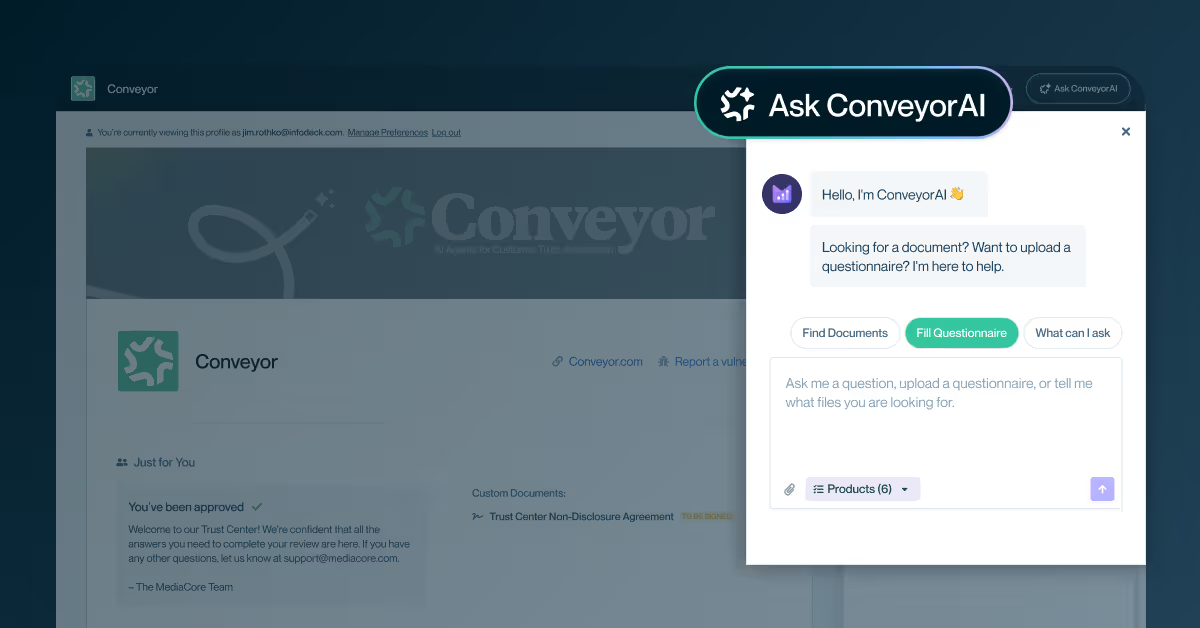
Fully supported portals now offer deep scan, which discovers conditional questions during import and ensures they are available before answering begins. After a deep scan import, users have all the answers they need for exporting back to the portal, rather than just the answers to questions that were visible on first glance. See the demo here.
Benefit: Eliminates back-and-forth rescanning for portals and ensures questionnaires are truly complete before export.
Aravo and HyperProof are now officially listed as fully supported portals.
Benefit: Conveyor will automatically detect and import all questions from Aravo and HyperProof portal questionnaires and automatically push reviewed answers back to the portal. Check out Conveyor’s latest list of supported portals here.
A new confirmation email can now be sent after a user signs an NDA. Existing admins can enable this setting and preview emails in Designer.
Benefit: End users get easy access to their signed NDAs, while admins have full control over their experience.
The default Q&A prompt no longer forces word for word reuse of context, resulting in more concise answers. Users who prefer verbatim wording can still enable it via custom prompts.
Benefit: Shorter, clearer answers by default, with flexibility for users who prefer exact wording.
The ConveyorAI Trust Center Agent is a fully embedded, AI-powered assistant that helps your customers and prospects instantly find the security answers and documents they need. Your Trust Center now includes an AI agent that can:
Conveyor now highlights any answers that already exist in uploaded questionnaires and users can choose whether to overwrite those answers with AI or keep imported answers.
Benefit: Prevents accidental blocking of AI answer generation and saves users from having to reimport overwrite-enabled spreadsheets.
Expanded the HubSpot integration to help automate customer access to Trust Centers:
Benefit: Reduces manual access approvals for known domains.
Trust Center Featured Documents UX Improvement
The Trust Center admin view for featured documents has been redesigned from a carousel to a list/grid layout with page separators, allowing admins to drag and drop documents across multiple pages.
Benefit: Easier reordering of featured documents, especially for Trust Centers with many items.
SSO / SCIM Deactivation Bugfix
Fixed an issue where some SCIM-managed users were not correctly deactivated in Conveyor after being marked inactive in Okta (and other IdPs). Conveyor also added more logging to inbound SCIM requests to improve debugging and provide more detail when customers report issues.
Benefit: More reliable user lifecycle management and faster resolution of SSO/SCIM-related issues.
Introduced Core Questions in the Knowledge Base Explorer to identify high impact, commonly asked customer questions that are asked in a variety of ways and standardized them to provide clear, consistent responses.
Benefit: Takes commonly asked questions that are asked in different ways and answers them concisely and consistently.
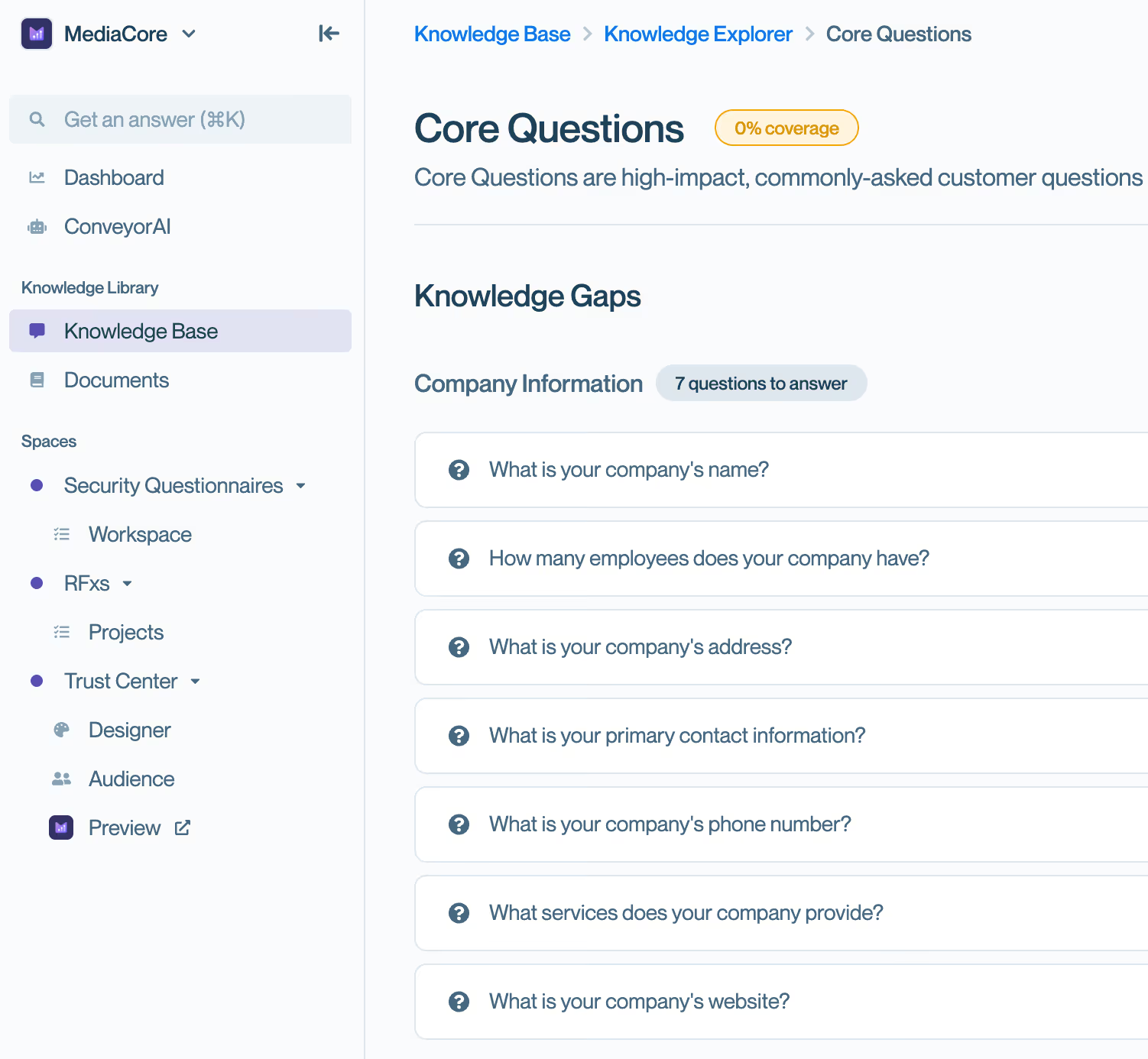
Conveyor’s AI now runs analysis on your Knowledge Base. The new Knowledge Base Explorer lets users:
Benefit: Users get actionable insights into knowledge coverage and performance over time from Conveyor AI.
Browser Extension Vertical Resizing
The browser extension can now be resized vertically from either the top or bottom edge.
Benefit: Prevents the extension from covering key portal UI elements (especially OneTrust).
Update to “Minimal” Verbosity Setting
When users choose “minimal” style, Conveyor answers questions more concisely:
Benefit: Cleaner, more consistent responses requiring less editing.
Link Directly to PDFs for Knowledge Base
Instead of having to upload PDFs to Knowledge Base, users can now provide a URL to their document.
Benefit: Reduces the steps required to add a PDF to a Knowledge Base.
Conveyor’s AI Librarian now highlights conflicting pieces of information in your Knowledge Base, including both documents and external sources like websites, Confluence, Notion and Google Drive. Users will now see a clear indication of the discrepancy in the comments tab and at the top of the user interface.
Benefit: Improves transparency and speeds up conflict resolution during answer review.
The extension now supports Panorays and Archer Legacy portals.
Benefit: Conveyor now provides full end-to-end automation support for Panorays and partial support for Archer Legacy.
Admins can now control export permissions for configurable users. By default, exports remain disabled. A redesigned Add Questionnaire modal also launched with a simplified flow for faster uploads of questionnaires for AI to answer.
Benefit: More granular role management
The AI Librarian now uses an improved model and refined prompts to produce shorter, more accurate lists of conflicts only (no duplicates).
Benefit: Easier prioritization and improved accuracy in KB conflict detection.
Fully automated answering for Whistic portal is now live. Users can drop a portal URL into Conveyor, and it automatically handles importing all questions, generating answers, and putting reviewed answers back into the portal for you.
Benefit: Conveyor's AI will read and answer questionnaires automatically and place answers back into the Whistic portal for you.
Edit Product Lines on Questionnaires
Users can now edit product lines directly on questionnaires without re-uploading or contacting support.
Benefit: Greater flexibility and reduced dependency on support for corrections.
Bulk Answer Regeneration
Users can regenerate AI answers for multiple questions in a questionnaire at once.
Benefit: Speeds up large revisions and ensures consistency across answers.
Full import/export automation for GraphiteConnect portal questionnaires is now supported.
Benefit: Expands portal coverage and eliminates manual work for security questionnaires in GraphiteConnect portal.
AI agent can now respond to natural language commands in triage queues (e.g., “why was this rejected?” or “process this file”).
Benefit: More autonomous, flexible, and helpful in reducing triage dead ends.
Share Document Folders
Users can share links to entire document folders, with visibility determined by individual file permissions.
Benefit: Easier distribution of grouped compliance documents while maintaining secure access.
Salesforce Permissions Check Modal
A new modal checks whether the connected Salesforce OAuth user has the correct permissions for selected features.
Benefit: Prevents misconfigurations and saves time debugging.
One-Off Questions API Update
The One-Off Questions API now supports optional email addresses for better analytics. Requests without an email default to the API key owner.
Benefit: Improves visibility into who is asking questions and adds API usage insights.
Archive Product Lines
Admins can archive product lines without removing associated records. Archived lines are visually distinct and excluded from dropdowns.
Benefit: Simplifies product line management while preserving historical associations.
Bulk Delete Questionnaires
Multiple questionnaires can now be selected and deleted at once from the “All” tab.
Benefit: Saves time during cleanup or general housekeeping.
Users can now import Notion pages into their knowledge base.
Benefit: Expands knowledge base sources and reduces manual content maintenance.
Images and Rich Text in Answers
A rich text editor with support for images and formatting
Benefit: Improves clarity and professionalism of AI-generated answers, especially in exports.
Exact Wording in ConveyorAI Answers
ConveyorAI now uses exact wording from sources by default (previously only available via custom prompts).
Benefit: Reduces review time and ensures responses align closely with source material.
Faster questionnaire loading
Massive performance improvements: large questionnaires now load in ~2 seconds (down from over a minute).
Benefit: Smoother, faster workflows and improved customer experience, even on very large RFPs.
Smarter Past Answer Imports
Placeholder answers (e.g., “yes/no/na” or “[vendor to elaborate]”) are now ignored during imports.
Benefit: Cleaner imports and more opportunities for ConveyorAI to provide real answers.
Adjust Past Answer Imports
Users can now edit AI-imported past answers directly from import history (spreadsheet imports only).
Benefit: Greater control and flexibility when refining imported questionnaire data.
Domain Tooltip in Add Questionnaire
A tooltip now explains why providing a domain is required when creating a questionnaire.
Benefit: Reduces confusion and encourages full platform use without wasted credits.
Before, you could only customize prompts at the org level.
Now, you can now fully customize how ConveyorAI answers on a per questionnaire basis!
Perfect for fine-tuning answers when different customers require slightly different tones or levels of detail.
Here's how it works:
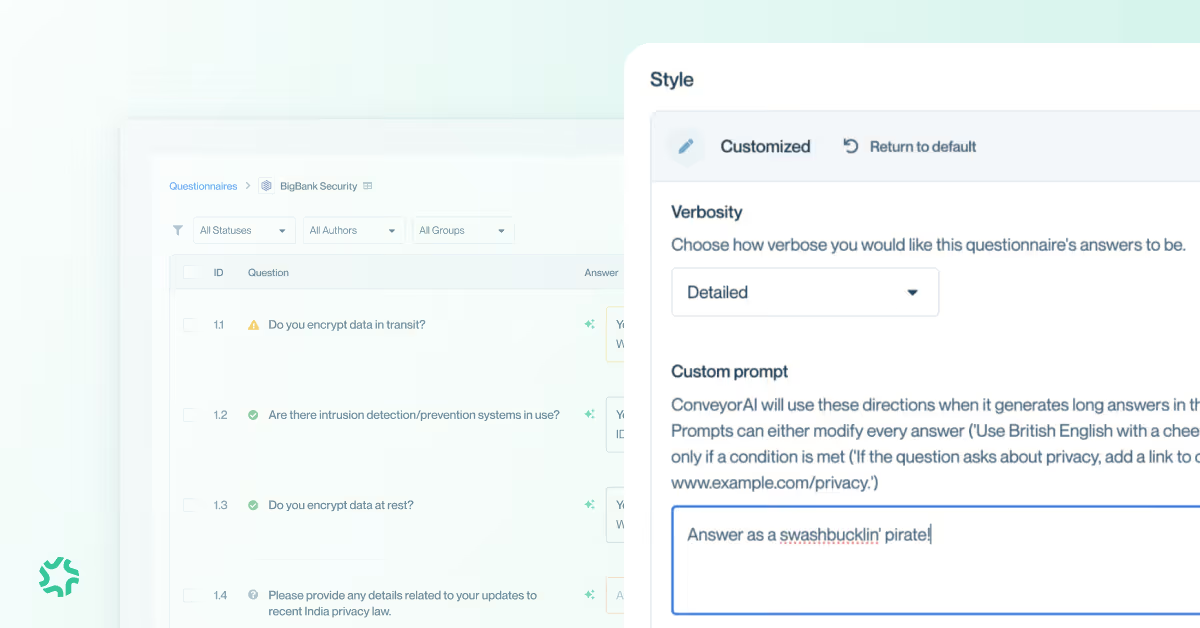
More customization has arrived to your Conveyor Trust Center!
You can now update the thumbnail that appears when sharing a Trust Center. This is configurable in the brand settings (same location as logo and cover image)

Highlight your competitive differentiation in security through a video embedded into your Trust Center.
It was previously only possible to make video resources available to authorized Trust Center visitors. Now you make them fully public to any visitor!
Usability Improvements:
ConveyorAI
Collaboration
For the following portals, you can now auto-import questions, get answers, and fully export back to the portal -- all using only the questionnaire URL.
.avif)
This integration works exactly the same as our Jira, Zendesk, Salesforce, etc integrations for Conveyor's AI Agent, Sue.
Sue comes to the places where our users are already triaging and managing their questionnaire workflow and with this integration, Sue watches shared inboxes for questionnaires, automatically ingesting, assessing, and completing on security questionnaires.
Upload docs, flag dealbreakers, set win themes, assign teammates, and track every moving piece — all in one place.
ConveyorAI even weaves your win themes into generated responses to help you stand out and submit with confidence.
Now you can keep track of security questionnaires and RFPs separately.
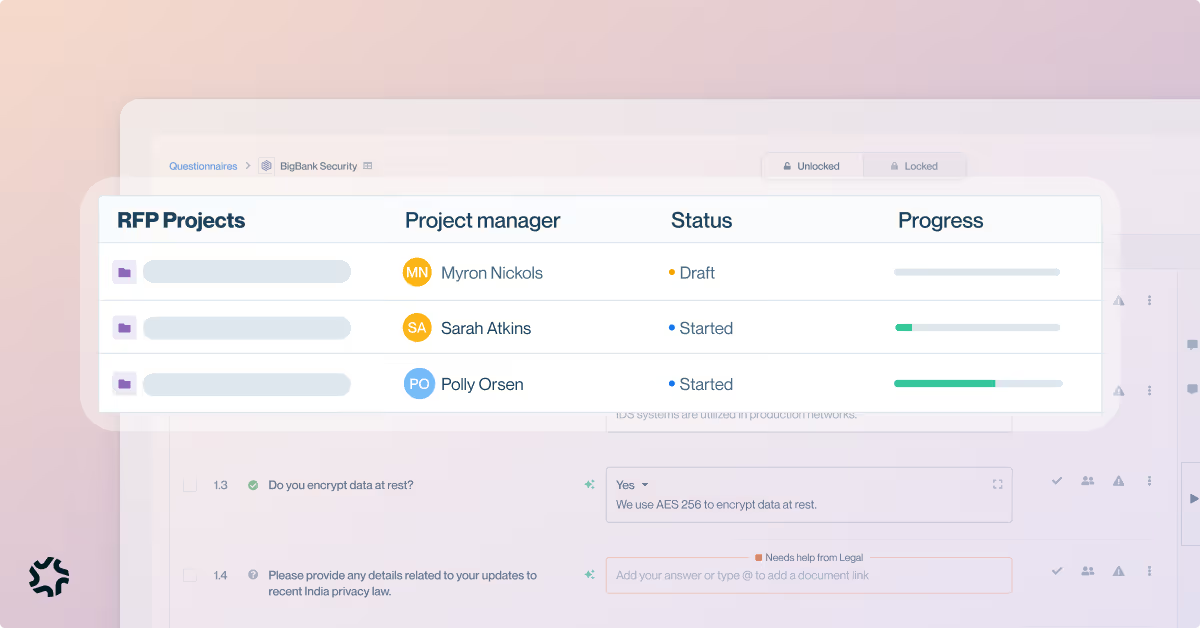
We’ve made big performance improvements for questionnaire answering and one-off questions (in web app, Slack, browser extension) — so you should see snappier responses and smoother experiences across the board.
You should experience:
.avif)
Directly upload questionnaire requests in Slack for processing by Conveyor's AI Agent, Sue. Sue will triage the request and communicate with requestors in thread.
.avif)
Import/export questionnaire questions using Conveyor's browser extension with 1 click: now supported for Prevalent questionnaires.
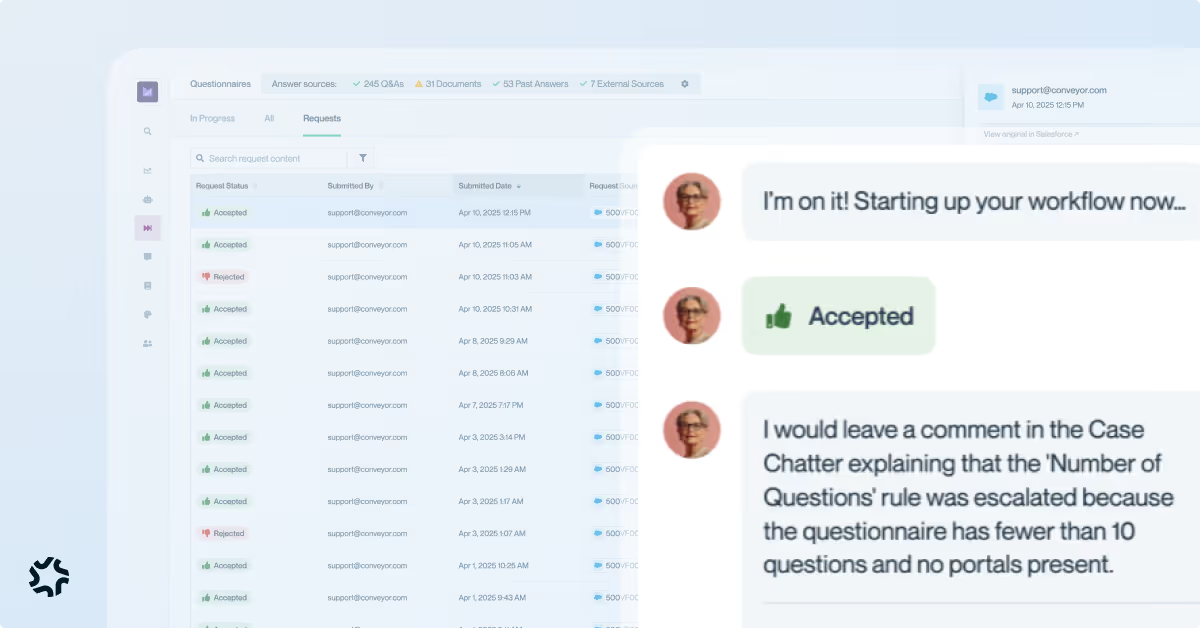
See everything Sue (AI Agent) been triaging behind the scenes: review individual requests, see exactly how Sue classified them, and view any questionnaires created.
You can also approve escalations, handle errors, and stay fully in control — all from one place.
One click to import all questions with the browser extension and one-click to export & fill all answers back into the portal.
"Fully automated one-click" experience is supported for: ServiceNow, OneTrust, BitSight, ProcessUnity, Coupa, LogicGate, Venminder, UpGuard.
Preview Word Docs and PDFs: Just like PDFs, DOC and DOCX questionnaires can now be previewed directly from within Conveyor’s UI for faster reference.
Faster Questionnaire Answering Throughput: Back-end improvements allow ConveyorAI to process more questionnaire jobs in parallel, speeding up full questionnaire completion without affecting single-question performance.
Configurable Access Groups for Auto-Approvals: Auto-approved users can now be automatically added to a specific access group for better control
No More Caching One-off Searches: Repeating a one-off search will now generate a new answer each time, preventing outdated or stale results when source data changes.
Your Conveyor trust center will now auto-translate to French, Spanish, Japanese, and more—automatically adapting to where your customer is located. All you have to do is toggle translation on for the languages you need.