4.6 (91 Ratings)
Conveyor Integrations
Out-of-the-box Conveyor connections
Out-of-the-box Conveyor connections
Out-of-the-box Conveyor connections
Out-of-the-box Conveyor connections
Out-of-the-box Conveyor connections
Out-of-the-box Conveyor connections







Most sales reps already paste security questions into ChatGPT and hope for the best. Conveyor's AI Connector replaces the guess with your own approved answers. Connect our MCP server with the AI Connector and every response your reps get is one your security team signed off on.
Most sales reps already paste security questions into ChatGPT and hope for the best. Conveyor's AI Connector replaces the guess with your own approved answers. Connect our MCP server with the AI Connector and every response your reps get is one your security team signed off on.
Most sales reps already paste security questions into ChatGPT and hope for the best. Conveyor's AI Connector replaces the guess with your own approved answers. Connect our MCP server with the AI Connector and every response your reps get is one your security team signed off on.


Your reps can type customer questions into ChatGPT and get an approved answer back from Conveyor instantly.
.avif)
No filters, no pivot tables, no waiting on an analyst.
Ask in plain language and ChatGPT pulls from your questionnaires, Trust Center traffic, and knowledge base to answer it.

Have ChatGPT sweep your knowledge base on a schedule and surface answers your product has outgrown.
Edit Q&A pairs, upload documents, and approve Trust Center requests from the same window.

Roles and permissions carry over through OAuth and role-based access controls.
Scoped keys limit the agent's reach, and a full audit trail tells you where each request came from.
Need help setting up or configuring? Access full technical guides and setup instructions here.
Conveyor's AI Connector connects your approved security answers to Claude. Sales looks up what a buyer asked, and questionnaires keep moving without anyone leaving their workflow. Leverage Claude to perform natural language analytics and push updates to keep knowledge fresh.
Conveyor's AI Connector connects your approved security answers to Claude. Sales looks up what a buyer asked, and questionnaires keep moving without anyone leaving their workflow. Leverage Claude to perform natural language analytics and push updates to keep knowledge fresh.
Conveyor's AI Connector connects your approved security answers to Claude. Sales looks up what a buyer asked, and questionnaires keep moving without anyone leaving their workflow. Leverage Claude to perform natural language analytics and push updates to keep knowledge fresh.

Your reps ask security questions in Claude and get answers your team already approved.
No Slack ping, no queue, no deal sitting in limbo.
Point Claude at thousands of questionnaires and it finds the pattern in minutes.
Add Salesforce and Jira context to build reports that show customer trust’s impact on revenue.
Set Claude to review your knowledge base on a schedule and flag anything your product has outgrown.
Update Q&A pairs, upload fresh docs, and grant Trust Center access right in the conversation.
Existing roles and permissions carry through with OAuth and role-based access controls.
Scoped API keys keep Claude inside its lane, and the audit trail shows you where requests come from.
Need help setting up or configuring? Access full technical guides and setup instructions here.
Ask Gemini a security question and the answer comes from Conveyor, not from a guess. Reps can now stop waiting on your team for one off answers that can block deals from closing. Customer trust teams can do deep dives into analytics and keep knowledge fresh, all from Gemini.
Ask Gemini a security question and the answer comes from Conveyor, not from a guess. Reps can now stop waiting on your team for one off answers that can block deals from closing. Customer trust teams can do deep dives into analytics and keep knowledge fresh, all from Gemini.
Ask Gemini a security question and the answer comes from Conveyor, not from a guess. Reps can now stop waiting on your team for one off answers that can block deals from closing. Customer trust teams can do deep dives into analytics and keep knowledge fresh, all from Gemini.
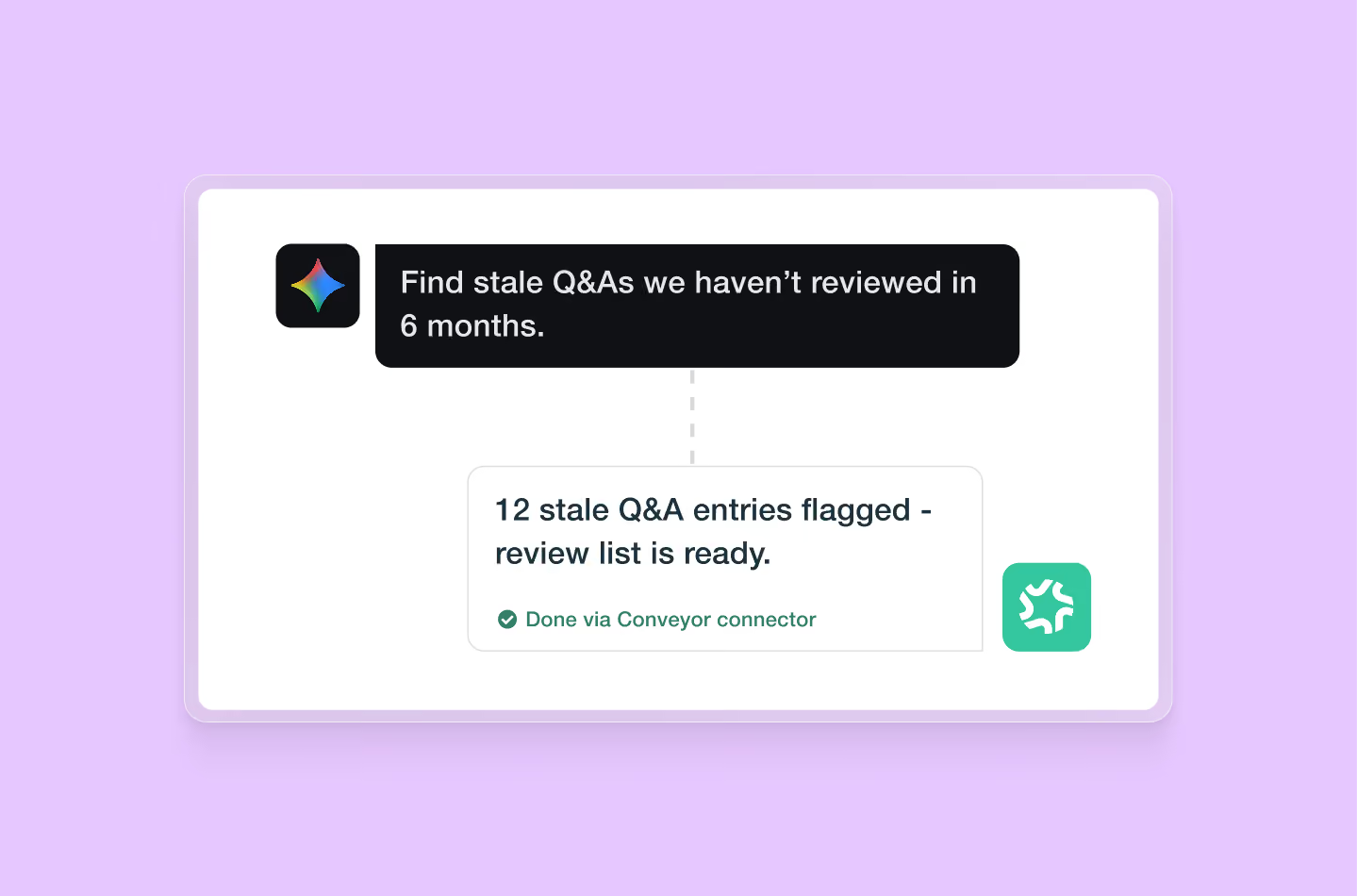
Sales can ask Gemini one off questions and follow up on them instead of pinging your team.
Every response traces back to the knowledge base you approved.
Perform deep dive analytics and let Gemini read across your full questionnaire history to surface the trends, instantly.
Build reports across your entire workflow to see the bigger picture.
Schedule a task that reviews your knowledge base and flags anything your product has moved past.
Push new documentation, correct Q&A pairs, and assign questionnaires without switching tabs.
OAuth and role-based access controls mean Gemini inherits the permissions your team already set.
Scoped API keys cap what it can reach, and every request lands in an audit log.
Need help setting up or configuring? Access full technical guides and setup instructions here.
Automate access to your Trust Center using CRM data and measure your security review business impact. Conveyor eliminates context-switching and embeds security compliance directly into your sales pipeline.
Automate access to your Trust Center using CRM data and measure your security review business impact. Conveyor eliminates context-switching and embeds security compliance directly into your sales pipeline.
Automate access to your Trust Center using CRM data and measure your security review business impact. Conveyor eliminates context-switching and embeds security compliance directly into your sales pipeline.
.avif)
Spend less time manually reviewing requests for access
Connecting to Salesforce lets you report on revenue impact

Keep sales in their workflow and speed up the deal cycle

Sales gets insights about deal activity instead of asking you

Capture leads and use your Trust Center as an opportunity-generation tool

Let teams upload questionnaires for AI Agent to intake, review, and complete based on your rules

Prioritize security questionnaire efforts by business impact
Need help setting up or configuring? Access full technical guides and setup instructions here.
Automate access to your Trust Center using CRM data from Hubspot
Automate access to your Trust Center using CRM data from Hubspot
Automate access to your Trust Center using CRM data from Hubspot
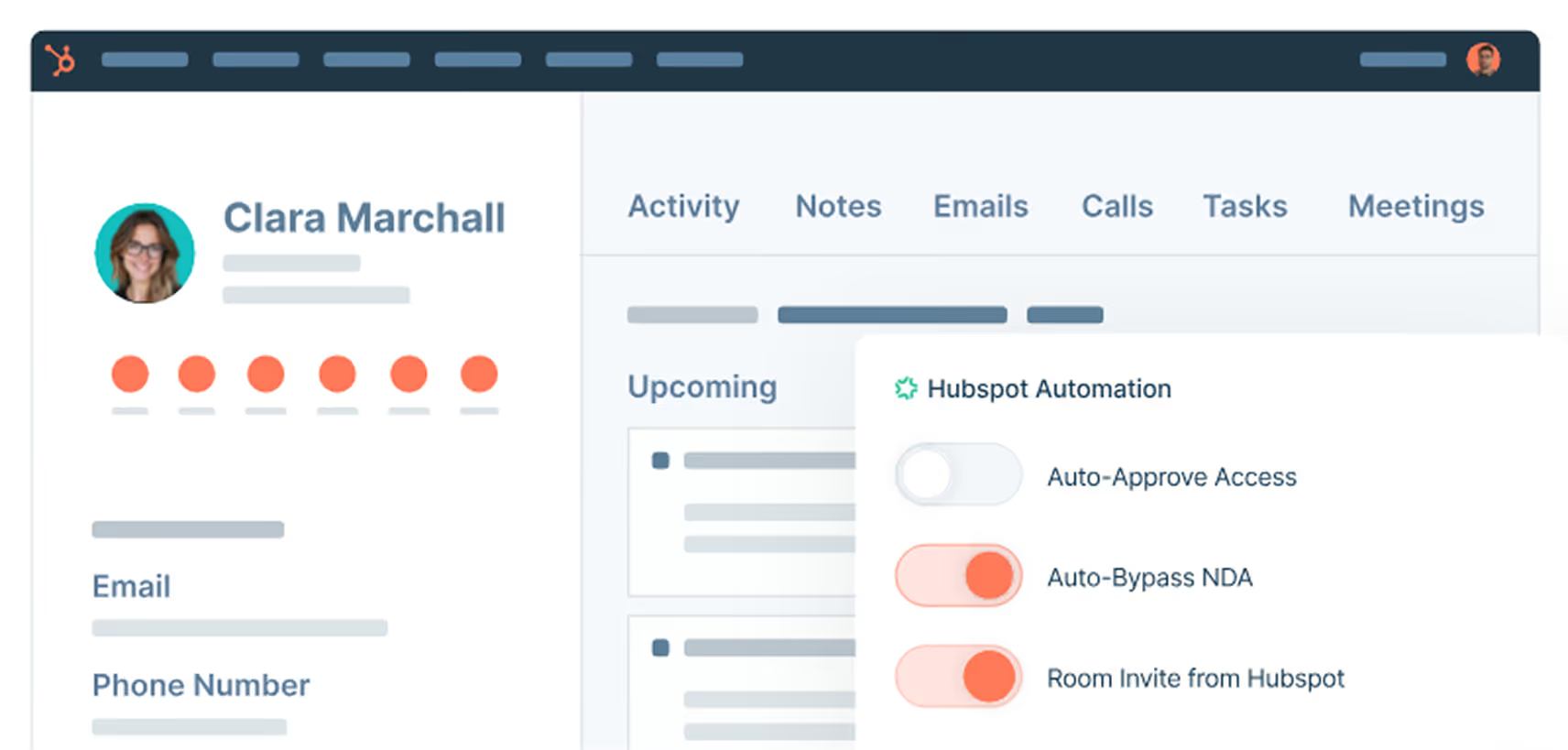
Spend less time manually reviewing requests for access
Need help setting up or configuring? Access full technical guides and setup instructions here.
Manage Trust Center access requests, upload questionnaires, and ask questions of your Knowledge Library - all without opening Conveyor
Manage Trust Center access requests, upload questionnaires, and ask questions of your Knowledge Library - all without opening Conveyor
Manage Trust Center access requests, upload questionnaires, and ask questions of your Knowledge Library - all without opening Conveyor
.avif)

Get notified with a direct link to approve customer access to your trust center
Enable your sales teams to self-serve information about their customers interacting with Trust Center
Let teams upload questionnaires for AI Agent to intake, review, and complete based on your rules
.avif)
Enable teams to answer customer questions with approved answers
Maintain your knowledge library without leaving your workflow
Need help setting up or configuring? Access full technical guides and setup instructions here.
Manage access requests, see status of questionnaires, tag SMEs, review prospect activity - all without opening Conveyor.
Manage access requests, see status of questionnaires, tag SMEs, review prospect activity - all without opening Conveyor.
Manage access requests, see status of questionnaires, tag SMEs, review prospect activity - all without opening Conveyor.
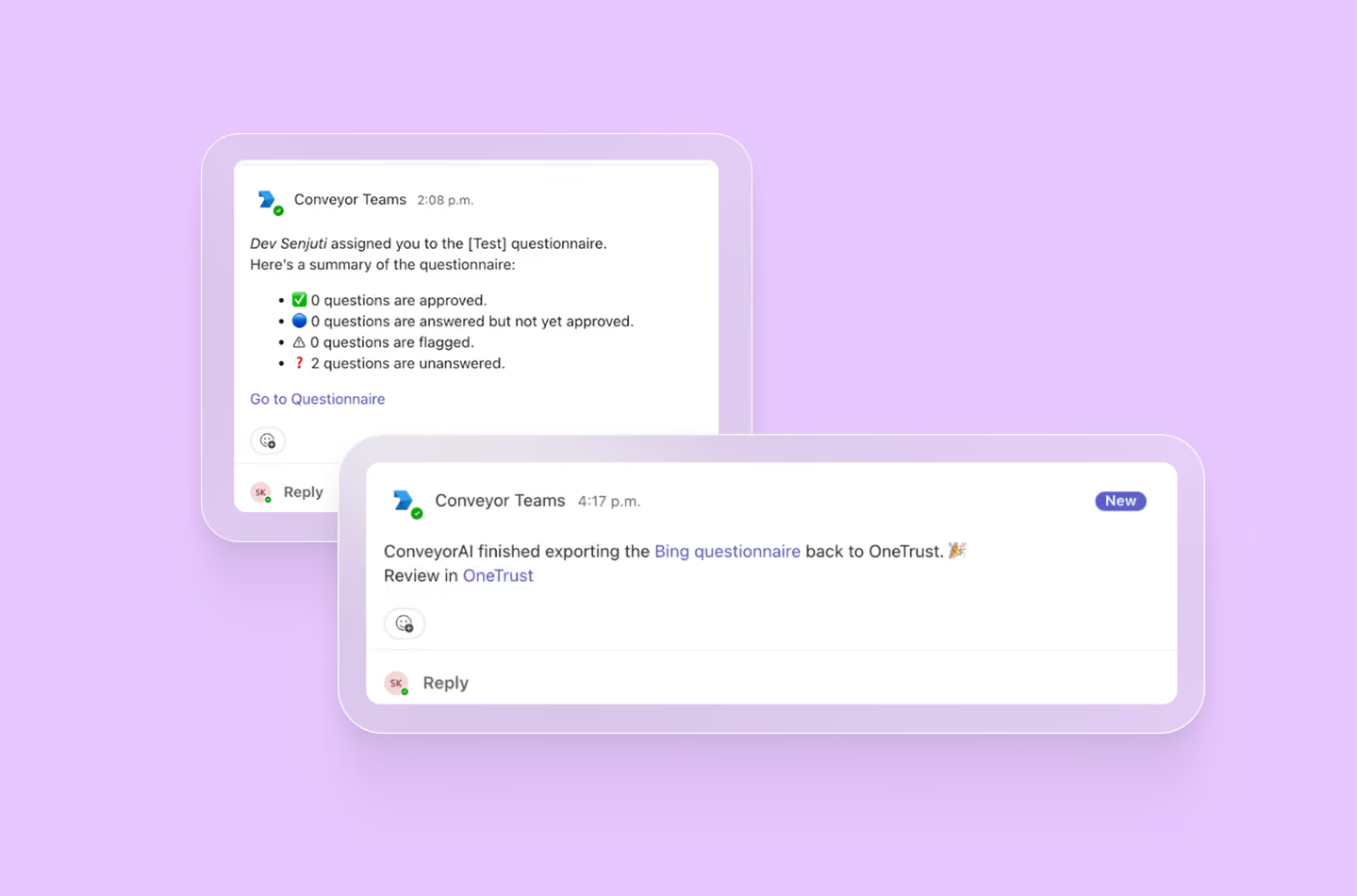
Get a notification & direct link to approve customer access to your trust center

Conveyor will auto-send notifications to team members in Teams when you need their help

Allow your team to see easily see progress on security questionnaires in Teams
Need help setting up or configuring? Access full technical guides and setup instructions here.
Customize your NDAs with Docusign to allow for more control over redlining, automatic reminders, and recipient permissions
Customize your NDAs with Docusign to allow for more control over redlining, automatic reminders, and recipient permissions
Customize your NDAs with Docusign to allow for more control over redlining, automatic reminders, and recipient permissions
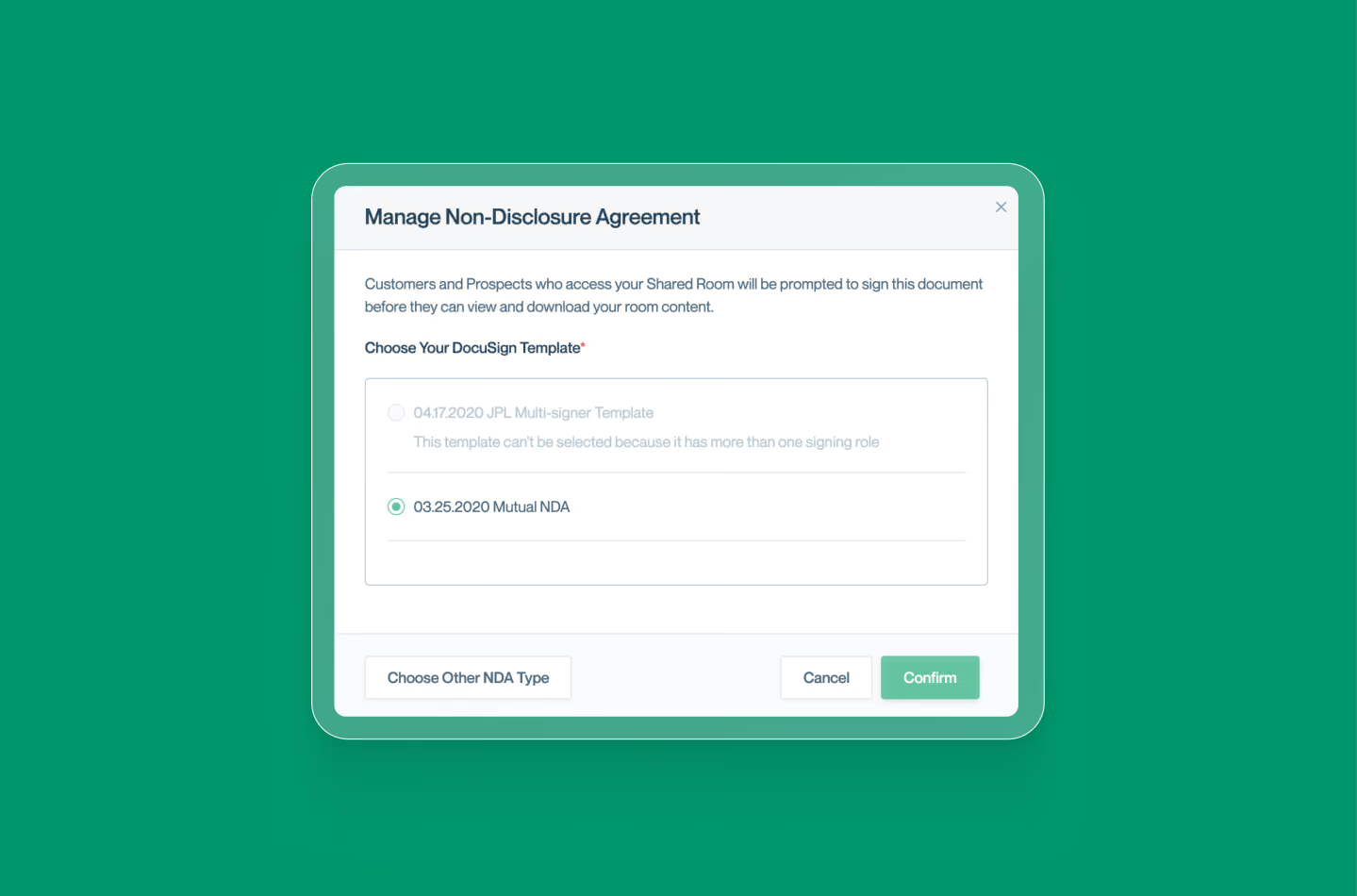

Connect seamlessly to DocuSign to maintain NDAs for trust center in one place.
Need help setting up or configuring? Access full technical guides and setup instructions here.
Your Trust Center can now read from and write back to Ironclad so contract data can drive access decisions automatically.
Your Trust Center can now read from and write back to Ironclad so contract data can drive access decisions automatically.
Your Trust Center can now read from and write back to Ironclad so contract data can drive access decisions automatically.
.avif)
Approve access requests automatically when the requester's email or domain matches an existing Ironclad record

Bypass the clickwrap for counterparties whose Ironclad record shows a signed NDA, matched by domain or email

When a visitor signs your Trust Center clickwrap, Conveyor creates a new Ironclad record automatically, PDF attached
Need help setting up or configuring? Access full technical guides and setup instructions here.
Connect Google Drive to ConveyorAI so your existing Docs, Sheets, Slides, and PDFs become instantly usable by AI with no manual knowledge base upkeep required.
ConveyorAI reads directly from your Drive to generate accurate, on-demand answers for questionnaires, RFPs, and more.
Connect Google Drive to ConveyorAI so your existing Docs, Sheets, Slides, and PDFs become instantly usable by AI with no manual knowledge base upkeep required.
ConveyorAI reads directly from your Drive to generate accurate, on-demand answers for questionnaires, RFPs, and more.
Connect Google Drive to ConveyorAI so your existing Docs, Sheets, Slides, and PDFs become instantly usable by AI with no manual knowledge base upkeep required.
ConveyorAI reads directly from your Drive to generate accurate, on-demand answers for questionnaires, RFPs, and more.
Need help setting up or configuring? Access full technical guides and setup instructions here.
Connect ConveyorAI to your Sharepoint instance so your existing Docs, Sheets, Slides, and PDFs become instantly usable by AI with no manual knowledge base upkeep required.
ConveyorAI reads directly from Sharepoint to generate accurate, on-demand answers for questionnaires, RFPs, and more.
Connect ConveyorAI to your Sharepoint instance so your existing Docs, Sheets, Slides, and PDFs become instantly usable by AI with no manual knowledge base upkeep required.
ConveyorAI reads directly from Sharepoint to generate accurate, on-demand answers for questionnaires, RFPs, and more.
Connect ConveyorAI to your Sharepoint instance so your existing Docs, Sheets, Slides, and PDFs become instantly usable by AI with no manual knowledge base upkeep required.
ConveyorAI reads directly from Sharepoint to generate accurate, on-demand answers for questionnaires, RFPs, and more.
.avif)
Need help setting up or configuring? Access full technical guides and setup instructions here.
ConveyorAI can pull relevant info and answers directly from your Notion pages with no manual syncing required. Whether it's internal policies, product specs, or compliance documentation, ConveyorAI finds and serves up the right answer.
ConveyorAI can pull relevant info and answers directly from your Notion pages with no manual syncing required. Whether it's internal policies, product specs, or compliance documentation, ConveyorAI finds and serves up the right answer.
ConveyorAI can pull relevant info and answers directly from your Notion pages with no manual syncing required. Whether it's internal policies, product specs, or compliance documentation, ConveyorAI finds and serves up the right answer.
.avif)
Need help setting up or configuring? Access full technical guides and setup instructions here.
ConveyorAI can pull relevant answers directly from your Confluence spaces—no manual syncing or reformatting required. Whether it's internal policies, product specs, or compliance documentation, ConveyorAI finds and serves up the right answer.
ConveyorAI can pull relevant answers directly from your Confluence spaces—no manual syncing or reformatting required. Whether it's internal policies, product specs, or compliance documentation, ConveyorAI finds and serves up the right answer.
ConveyorAI can pull relevant answers directly from your Confluence spaces—no manual syncing or reformatting required. Whether it's internal policies, product specs, or compliance documentation, ConveyorAI finds and serves up the right answer.
Need help setting up or configuring? Access full technical guides and setup instructions here.
Use Conveyor’s AI Agent to manage security questionnaires directly from Jira tickets. The agent monitors incoming messages, detects questionnaire requests, and automatically triages and completes them—so your team can stay focused on what matters.
Use Conveyor’s AI Agent to manage security questionnaires directly from Jira tickets. The agent monitors incoming messages, detects questionnaire requests, and automatically triages and completes them—so your team can stay focused on what matters.
Use Conveyor’s AI Agent to manage security questionnaires directly from Jira tickets. The agent monitors incoming messages, detects questionnaire requests, and automatically triages and completes them—so your team can stay focused on what matters.
Use Conveyor’s AI Agent to manage security questionnaires directly from Jira tickets. The agent monitors incoming messages, detects questionnaire requests, and automatically triages and completes them—so your team can stay focused on what matters.
Use Conveyor’s AI Agent to manage security questionnaires directly from Jira tickets. The agent monitors incoming messages, detects questionnaire requests, and automatically triages and completes them—so your team can stay focused on what matters.
Use Conveyor’s AI Agent to manage security questionnaires directly from Jira tickets. The agent monitors incoming messages, detects questionnaire requests, and automatically triages and completes them—so your team can stay focused on what matters.
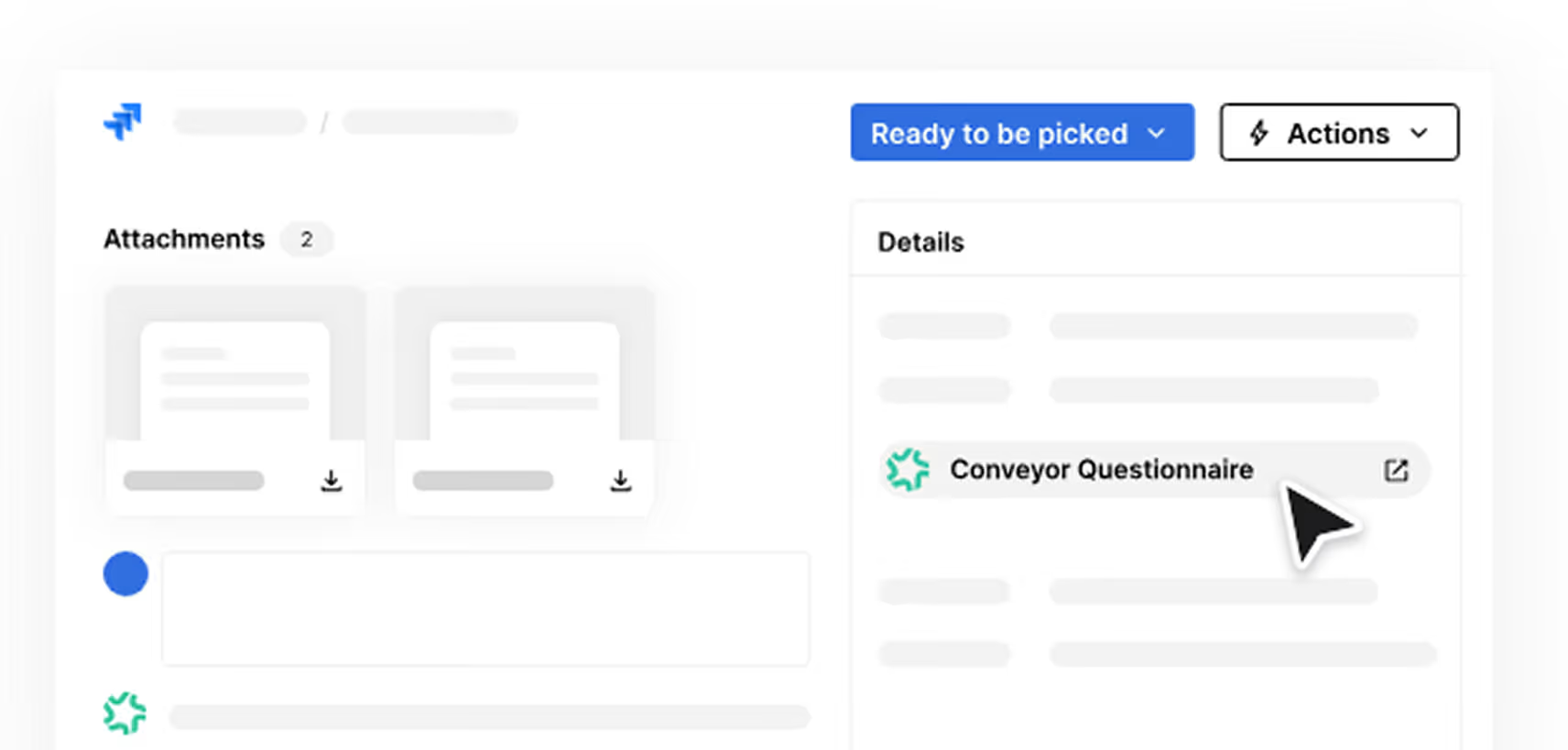

Conveyor’s AI agent will automatically detect, triage, and complete incoming questionnaire requests from Zendesk based on your predefined parameters.
The AI agent will tag users as needed, add comments to the ticket, ask for missing files, and update requestor on status.
Need help setting up or configuring? Access full technical guides and setup instructions here.
Use Conveyor’s AI Agent to manage security questionnaires directly from your Zendesk tickets. The agent monitors incoming messages, detects questionnaire requests, and automatically triages and completes them—so your team can stay focused on what matters.
Use Conveyor’s AI Agent to manage security questionnaires directly from your Zendesk tickets. The agent monitors incoming messages, detects questionnaire requests, and automatically triages and completes them—so your team can stay focused on what matters.
Use Conveyor’s AI Agent to manage security questionnaires directly from your Zendesk tickets. The agent monitors incoming messages, detects questionnaire requests, and automatically triages and completes them—so your team can stay focused on what matters.


Conveyor’s AI agent will automatically detect, triage, and complete incoming questionnaire requests from Zendesk based on your predefined parameters.
The AI agent will tag users as needed, add comments to the ticket, ask for missing files, and update requestor on status.
Need help setting up or configuring? Access full technical guides and setup instructions here.
With the Conveyor MCP server, any client that speaks the protocol can reach your customer trust data. Look up approved answers, update your knowledge base, check questionnaire status, and manage Trust Center access from any LLM, AI assistant, or homegrown solution. Connect Conveyor to any AI assistant with MCP.
With the Conveyor MCP server, any client that speaks the protocol can reach your customer trust data. Look up approved answers, update your knowledge base, check questionnaire status, and manage Trust Center access from any LLM, AI assistant, or homegrown solution. Connect Conveyor to any AI assistant with MCP.
With the Conveyor MCP server, any client that speaks the protocol can reach your customer trust data. Look up approved answers, update your knowledge base, check questionnaire status, and manage Trust Center access from any LLM, AI assistant, or homegrown solution. Connect Conveyor to any AI assistant with MCP.
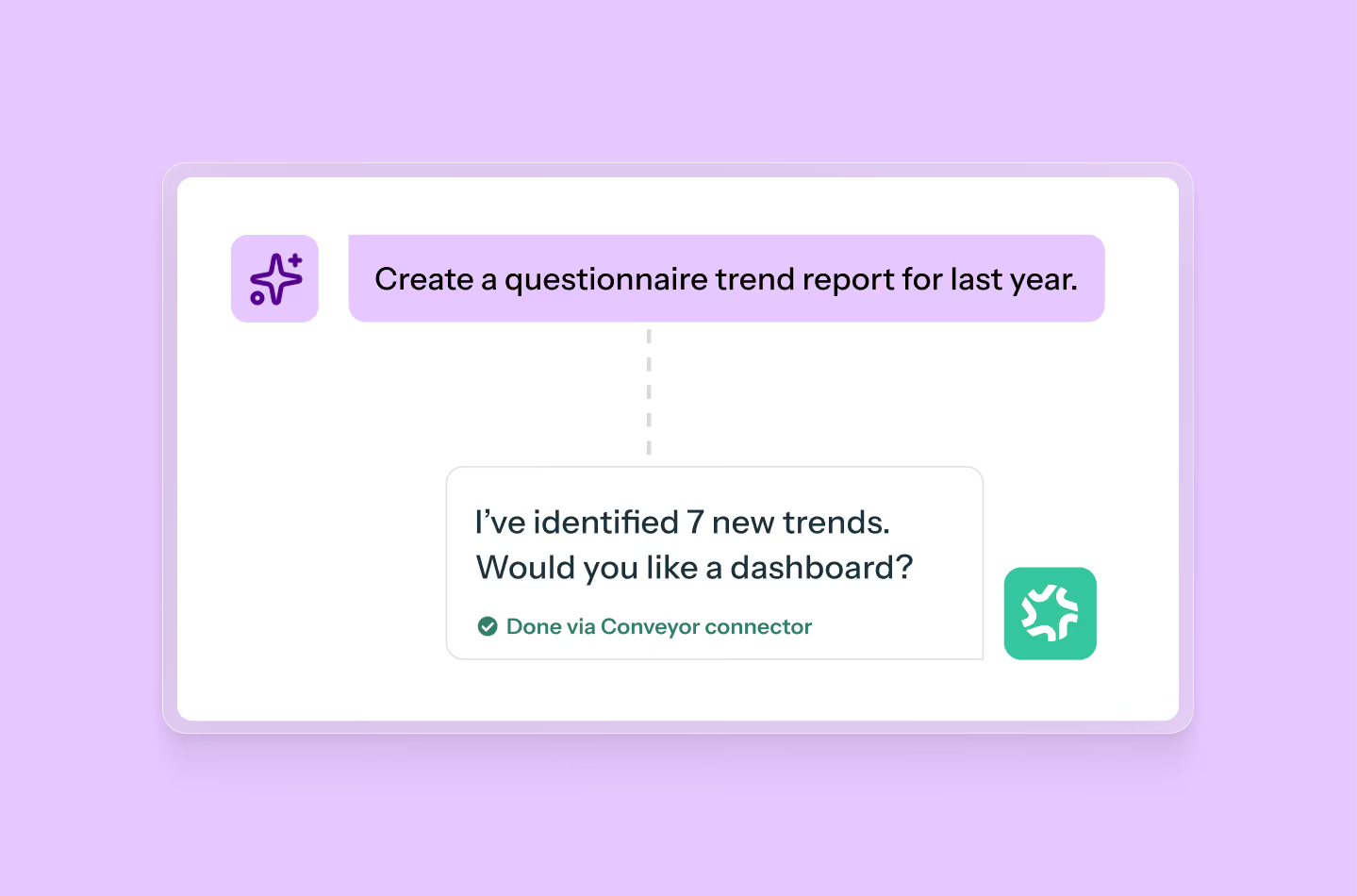
Connect Conveyor over MCP and let sales get approved answers to customer trust questions in the tools they are already working in.
Perform data analytics and build reports across your whole program at once.
Questionnaire answers, Trust Center visits, document requests, and the questions your reps keep asking, so you can see the big picture.
Schedule a task that reviews your knowledge base and flags anything your product has moved past.
Push new documentation, correct Q&A pairs, and assign questionnaires without switching tabs.
OAuth and role-based access controls pass your existing permissions straight through.
Scoped API keys bound what the agent can do, and audit logs show every call.
Need help setting up or configuring? Access full technical guides and setup instructions here.
Use Conveyor’s AI Agent to manage security questionnaires directly from your shared inbox in Front. The agent monitors incoming messages, detects questionnaire requests, and automatically triages and completes them—so your team can stay focused on what matters.
Use Conveyor’s AI Agent to manage security questionnaires directly from your shared inbox in Front. The agent monitors incoming messages, detects questionnaire requests, and automatically triages and completes them—so your team can stay focused on what matters.
Use Conveyor’s AI Agent to manage security questionnaires directly from your shared inbox in Front. The agent monitors incoming messages, detects questionnaire requests, and automatically triages and completes them—so your team can stay focused on what matters.
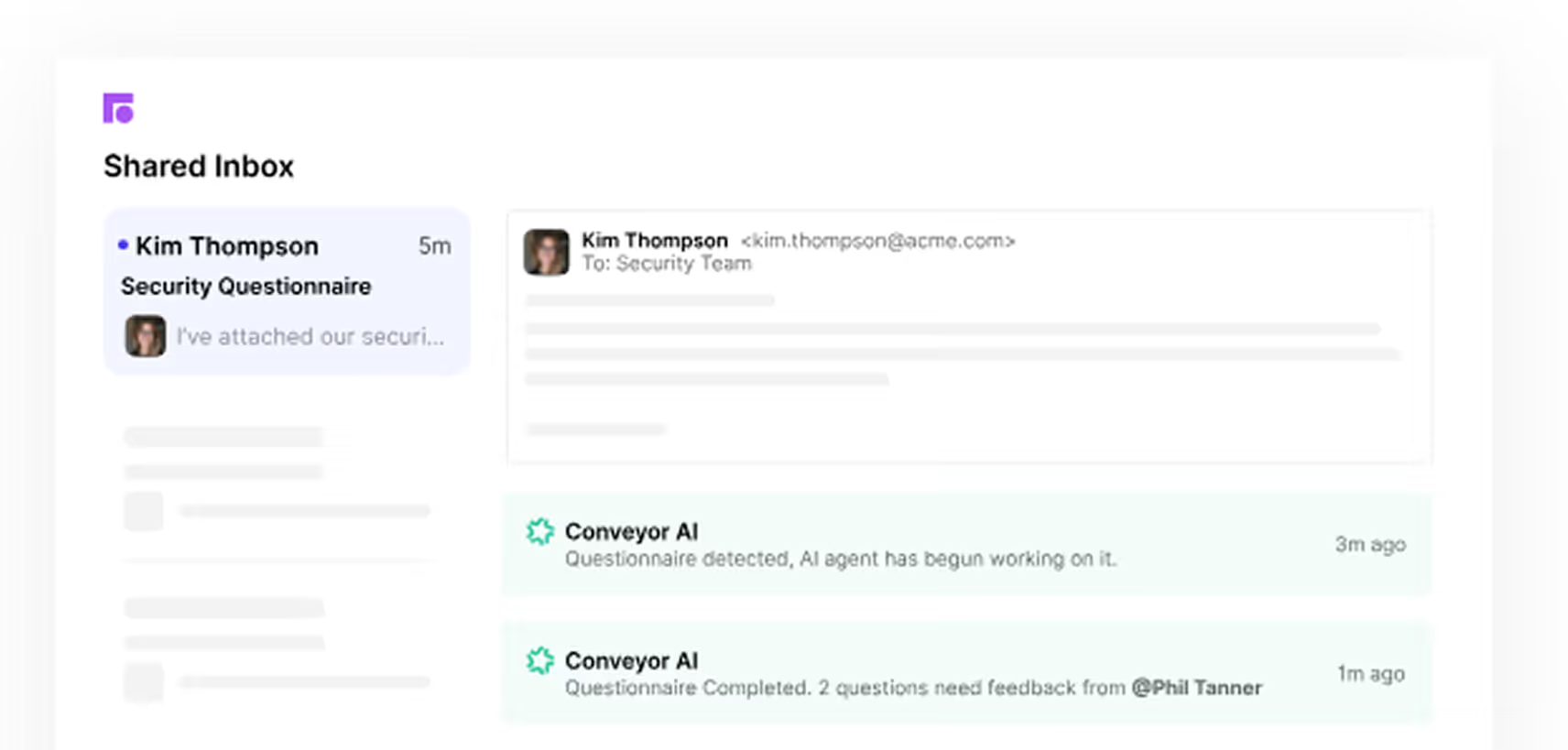
Conveyor’s AI agent will automatically detect, triage, and complete incoming questionnaire requests from Zendesk based on your predefined parameters.
The AI agent will tag users as needed, add comments to the ticket, ask for missing files, and update requestor on status.
Need help setting up or configuring? Access full technical guides and setup instructions here.
Connect ConveyorAI to your marketing website or external support site and anything there will become instantly usable by AI with no manual knowledge base upkeep required.
ConveyorAI will use it to generate accurate, on-demand answers for questionnaires, RFPs, and more.
Connect ConveyorAI to your marketing website or external support site and anything there will become instantly usable by AI with no manual knowledge base upkeep required.
ConveyorAI will use it to generate accurate, on-demand answers for questionnaires, RFPs, and more.
Connect ConveyorAI to your marketing website or external support site and anything there will become instantly usable by AI with no manual knowledge base upkeep required.
ConveyorAI will use it to generate accurate, on-demand answers for questionnaires, RFPs, and more.

Need help setting up or configuring? Access full technical guides and setup instructions here.
Access detailed Conveyor metadata - like customer search queries or document interactions - to bring into your BI tools for additional analysis
Access detailed Conveyor metadata - like customer search queries or document interactions - to bring into your BI tools for additional analysis
Access detailed Conveyor metadata - like customer search queries or document interactions - to bring into your BI tools for additional analysis
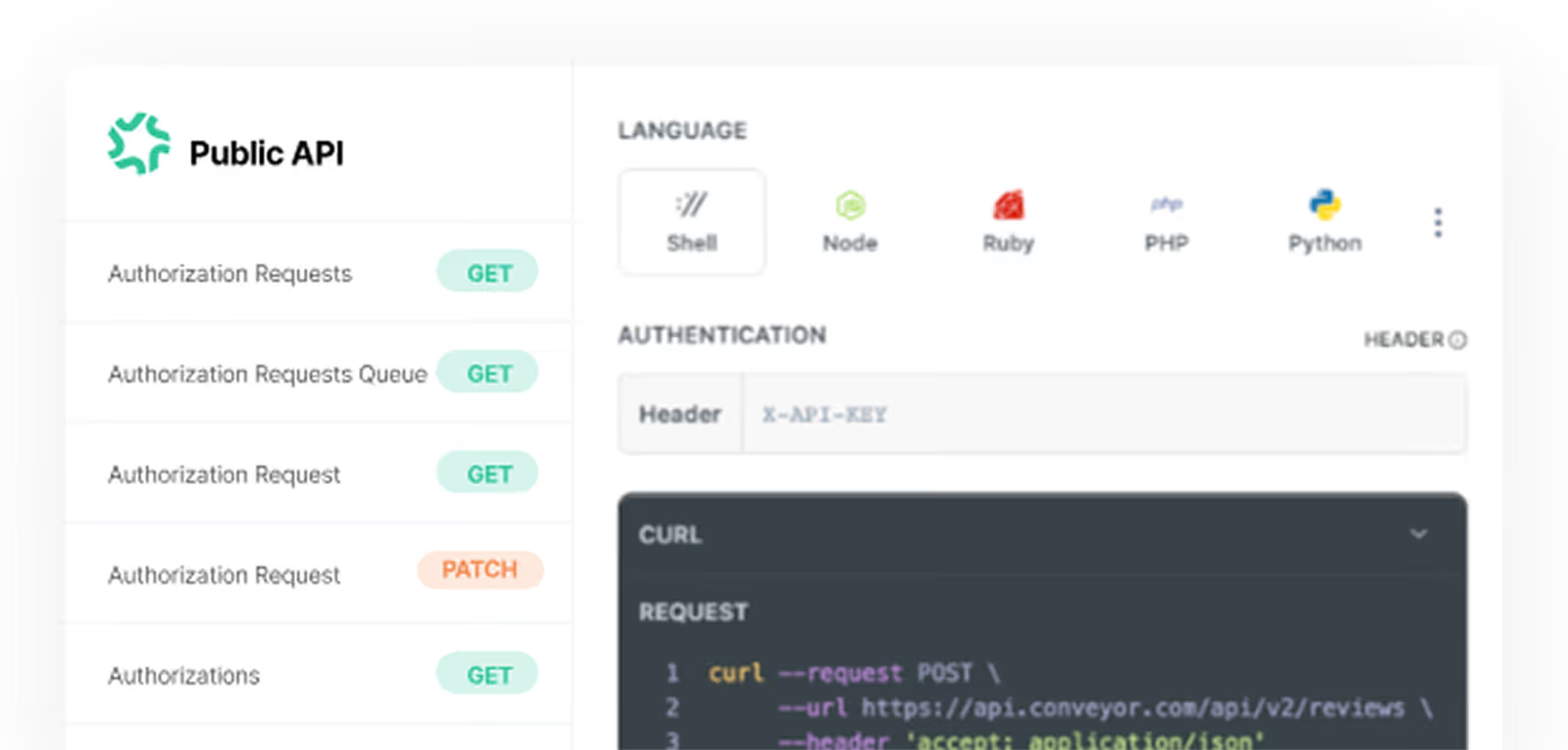

Get insights out of Conveyor like customer interactions and questionnaire data
Automate approvals or see who is knocking on your Trust Center door

Send questionnaires into Conveyor from the tool of your choice
Need help setting up or configuring? Access full technical guides and setup instructions here.

"Conveyor helps us do more with less - especially with a lean security team. Without Conveyor, it would be an absolute disaster."


"Smooth & fast to adopt as a service. Easy to use, very intuitive, great customer success and support. The product is a huge time saver. The integration & implementation is very simple."


"We got the time spent per question from 4 minutes down to 22 seconds which reflected a 91% reduction in time spent on questionnaires. If we lost Conveyor, it would grind security to a halt."

Connect your tech stack with Conveyor to get full automation for each workflow.
Connect your tech stack with Conveyor to get full automation for each workflow.
Connect your tech stack with Conveyor to get full automation for each workflow.
.avif)