A 200-question vendor security assessment lands in your inbox on a Friday. Your knowledge base is three product versions out of date. The sales team needs it back by Monday. You've seen this before, and you know exactly how the next 48 hours are going to go.
The right security questionnaire automation software changes that equation. Instead of starting from scratch, your team reviews AI-generated answers grounded in your own security documentation, complete with source citations and approval workflows. What used to take a weekend becomes an hour-long review process.
But not every platform delivers. Some struggle with third-party portals, require constant content library maintenance, or take months to implement. This guide compares the best security questionnaire automation software in 2026 so you can stop evaluating and start deciding.
What to Look for Before You Start Evaluating
Most customer trust and information security teams evaluating this software are running lean with a team of three to five people supporting a sales org that's growing faster than headcount. The inbound volume only keeps growing, and on any given week, that usually means:
- Security questionnaires arriving in Excel, Word, PDF, and third-party portals like OneTrust, ServiceNow, and Coupa
- Buyers requesting SOC 2 reports, certifications, and compliance documentation
- Subject matter experts being pulled into repetitive security questions
- Sales teams chasing updates on questionnaire completion
- Knowledge bases that need constant maintenance to stay accurate
The best security questionnaire automation software should do more than just generate answers. It should:
- Handle every format your buyers use
- Integrate with your existing stack
- Support approvals and governance
- Improve accuracy over time
- Reduce manual work instead of creating new workflows
That's the standard to hold every platform to, before you start a demo.
How to Evaluate Security Questionnaire Automation Software: A Trust-First Scorecard
The teams that struggle with software evaluations usually experience similar problems: a platform performs well in a demo with pre-loaded data and clean questionnaires, then falls apart when it meets real production conditions.
Before you start comparing vendors, score each platform against three non-negotiables:
- Answer accuracy you can verify
- A low-maintenance knowledge base
- Integrations that fit how your team already works
AI Answer Quality, Source Citations, and Accuracy You Can Verify
Accuracy claims without evidence are just marketing.
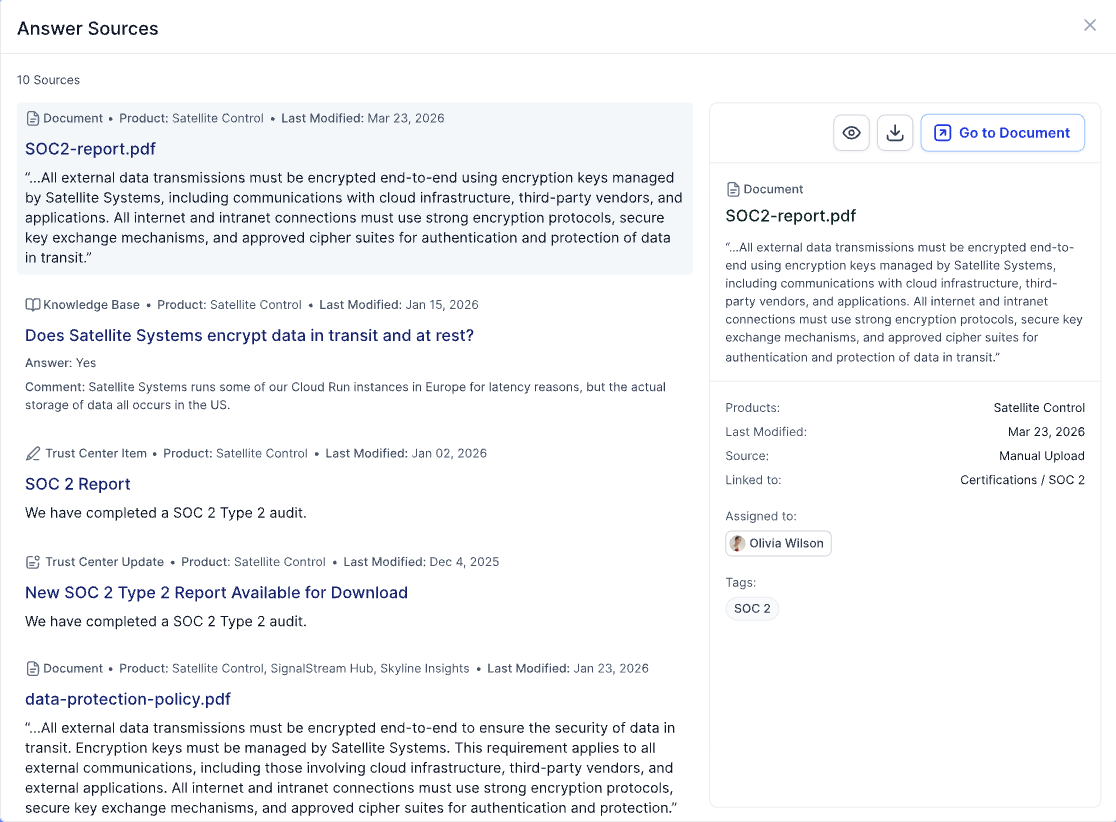
The strongest platforms show exactly where answers come from. Every response should trace back to source documentation, whether that's a SOC 2 report, security policy, DPA, or other compliance documentation.
Look for:
- Source citations attached to every answer
- Visibility into how recently information was updated
- Clear handling of low-confidence responses
- Escalation paths to subject matter experts
- Protection against outdated or unsupported answers
- Reporting on AI output & performance so you can improve answers or training where needed
For information security and GRC teams, source transparency is what makes AI-generated answers trustworthy enough to use in production.
Approval Workflows, Audit Trails, and Knowledge Base Maintenance
AI answer generation is only one part of the workflow.
Many tools automate answers but leave everything else to your team to do manually:
- Intake and triage of sales requests
- Reviewer assignment
- Status updates for sales teams
- Approval workflows
- SLA tracking
- Questionnaire delivery
A platform that generates answers but leaves your team to manage the rest in spreadsheets, email, and Slack hasn't removed the bottleneck.
The strongest platforms provide:
- Built-in approval workflows
- Policy-based routing and answering
- Complete audit trails
- Role-based permissions
- Knowledge base maintenance
Knowledge base maintenance is where a lot of platforms struggle over time.
A static Q&A library becomes outdated quickly. The stronger approach is a self-healing knowledge base connected to sources you or other teams are already updating like Google Drive, Confluence, Notion, company wikis, and trust center content. AI should keep information current, flag outdated content, and learn from approved questionnaire responses automatically.
Integrations and Time-to-Value
The fastest path to ROI is a platform that connects to how your team already works, not one that requires rebuilding your workflows around it.
Look for native integrations with:
- Salesforce and HubSpot
- Slack and Microsoft Teams
- Zendesk and Jira
- Google Drive
- Confluence
To get the most value, you also need to look beyond answer generation. The best automation solutions handle the full questionnaire process:
- Ticket intake and triage
- Sales team communication
- AI-powered questionnaire answering
- Collaboration and approvals
- Knowledge base upkeep
- Trust center updates
Ask any vendor you're evaluating exactly which steps of that workflow their platform handles, and which ones your team will still be managing manually.
The Best Security Questionnaire Automation Software in 2026
A slow security review process has a direct cost. Conveyor's 2024 State of Security Review found that 52% of deals are delayed sometimes or often because of it — and only 13% of InfoSec teams consider their current process efficient. Here are the six leading platforms worth evaluating.
The leading security questionnaire automation platforms in 2026 include:
- Conveyor
- Vanta
- Drata + SafeBase
- Whistic
- Loopio and Responsive
- Spreadsheets, Email, and ChatGPT
Here's how they compare.
1. Conveyor
Best for: Mid-market and enterprise B2B software teams managing high inbound security review volume
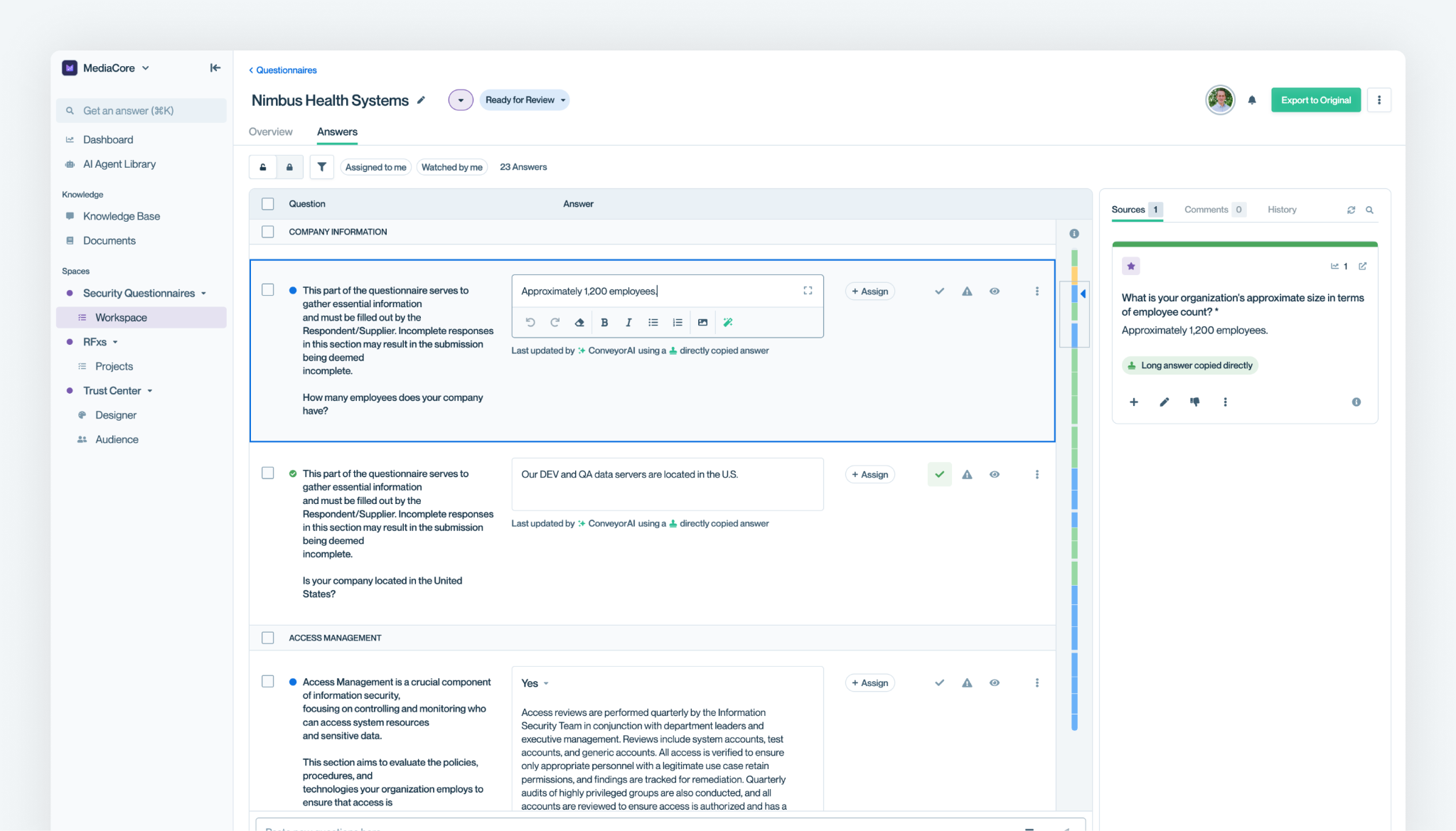
Conveyor is the only AI-native Customer Trust Platform built end-to-end for the entire questionnaire process. Unlike traditional tools that add AI later, Conveyor uses AI agents and generative AI as the foundation of its automation platform, helping teams manage security information, streamline reviews, and spend less time on manual work.
It automates the full picture through:
- AI-powered intake and triage of incoming questionnaire tickets
- Communication with sales teams
- Questionnaire completion across every format including third-party portals
- Collaboration and approval workflows
- Trust Center self-serve for prospects and customers
- Continuous knowledge base upkeep and management of customer-facing security information
- Connections to your existing stack via native integrations with Salesforce, Slack, Zendesk, and Google Drive
Conveyor is AI-native, and the results reflect it: 95%+ answer accuracy, with 85% of answers going out unedited per questionnaire. Lucid Software cut time per question from 4 minutes to 22 seconds — a 91% reduction. Carta saw an 83% decrease in time spent on customer security reviews and 40% fewer inbound questionnaires because prospects found what they needed through the Trust Center first.
The outcome is simple: teams spend less time answering questionnaires and more time helping sales teams close deals.
2. Vanta

Best for: SMB companies building their compliance foundation — SOC 2, ISO 27001, HIPAA readiness
Vanta helps organizations automate evidence collection, monitor security controls, and prepare for audits such as SOC 2, ISO 27001, and HIPAA. It also offers questionnaire automation and trust center functionality. Those features work best for teams already running their compliance program in Vanta, though the platform remains focused on compliance management rather than high-volume customer trust workflows.
3. Drata (+ SafeBase)
Best for: SMB to mid-market companies wanting compliance automation plus a trust center under one vendor
Drata's acquisition of SafeBase added trust center functionality and AI questionnaire assistance to its compliance platform. It's a reasonable option for teams that want compliance and customer trust capabilities under one vendor, though the products are still being integrated.
4. Whistic
Best for: Teams that want a dual-sided platform for sharing their security profile and assessing vendors
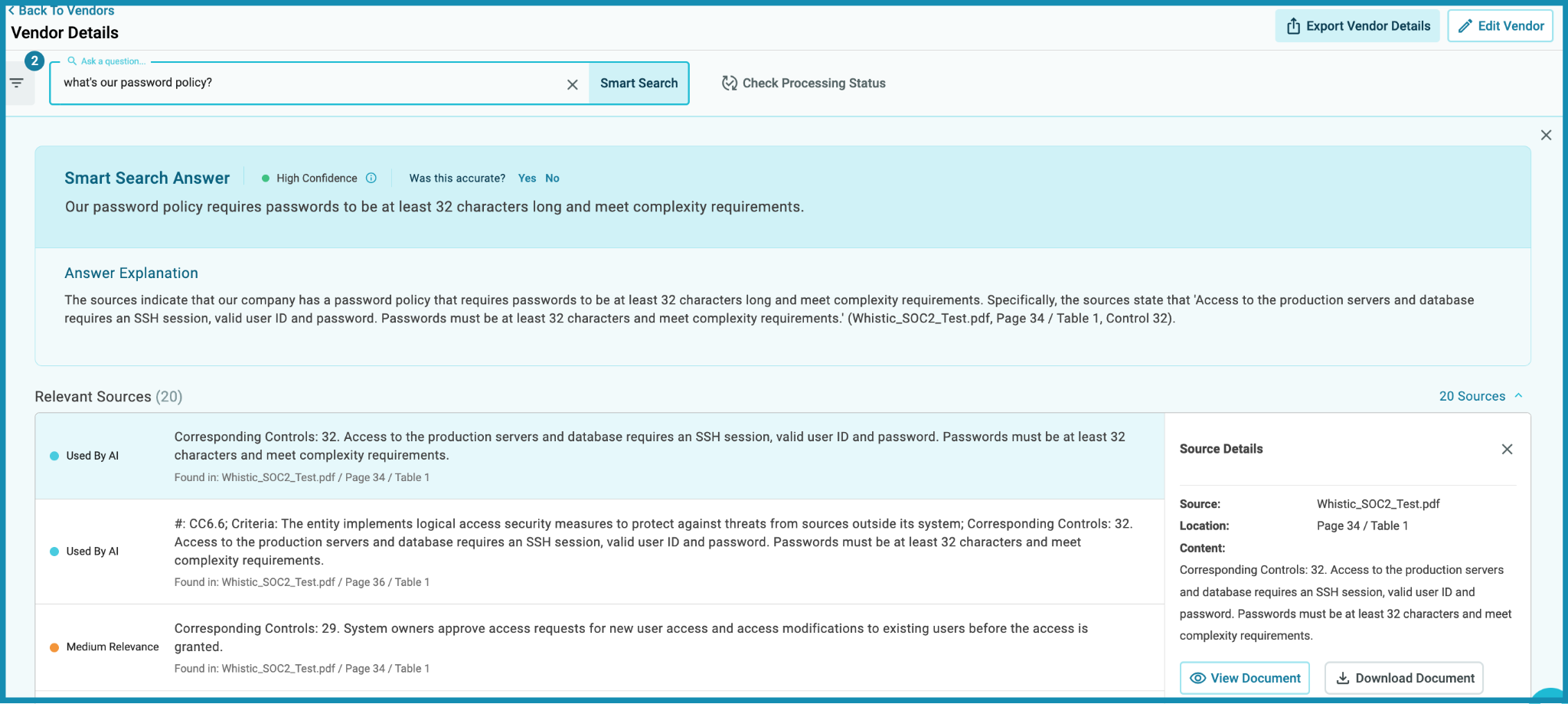
Whistic's strength is its network model. Organizations can share security information through a common profile, reducing some back-and-forth during assessments. It also provides questionnaire response tools and knowledge management capabilities, but its primary focus remains vendor risk management rather than handling large volumes of inbound security reviews.
5. Loopio and Responsive
Best for: Large RFP response teams managing high volumes of complex bids — primarily procurement and sales ops
Both platforms combine content libraries, workflow management, and AI-powered drafting tools. They are well-suited to structured procurement processes and complex RFP responses. The trade-off is that they're built for proposal teams rather than customer trust teams managing security questionnaires, trust centers, and buyer security reviews.
6. Spreadsheets, Email, and ChatGPT
Best for: Teams with very low questionnaire volume and no budget for a dedicated platform
Spreadsheets, email, and ChatGPT can work at low volume, but they aren't a dedicated questionnaire automation tool. There's no audit trail, governance, or awareness of your current security posture, making the approach difficult to scale as questionnaire volume grows.
Running a Successful Proof of Concept (POC) for Automation
A meaningful POC isn't a 30-minute demo. It's a test against your own security documentation, knowledge sources, and portal environments.
Measure three things:
- First-pass answer accuracy: Run a real security questionnaire through the platform and verify the citations. Accuracy on your content matters more than vendor benchmarks.
- Time-to-completion: Compare completion time against your current process, including review cycles.
- Human review required: Track how often answers need to be edited, escalated, or reviewed by subject matter experts.
Run the POC against at least two questionnaire types, such as a standard questionnaire and a portal-based assessment. Involve the people who will use the platform daily. The friction they find during a one-week trial is often the best predictor of long-term adoption.
See What the Best Security Questionnaire Automation Software Can Do for Your Team
Three things separate genuinely useful security questionnaire automation software from the rest: answer accuracy you can verify against cited sources, a content library that maintains itself without constant manual upkeep, and integrations that connect the platform to how your team already works, not the other way around.
The teams that get the most value from automation aren't the ones who found the most feature-rich platform. They're the ones who tested it against their real questionnaires, their real knowledge sources, and their real portal environments before committing.
See Conveyor's platform against your own workflows, or schedule a demo and we'll walk through your specific setup, volume, and stack.
Best security questionnaire automation software FAQs
How accurate is AI-generated security questionnaire automation software?
Accuracy depends on the platform and the quality of your documentation library. The strongest tools report 95%+ accuracy and provide source citations for every answer. Focus on how many answers go out unedited, not just the headline accuracy rate. Always test against your own content.
What does security questionnaire automation software typically cost?
Pricing varies by vendor, questionnaire volume, and functionality. Some charge per seat, while others offer usage-based pricing. When evaluating cost, compare it against the analyst time currently spent completing questionnaires and managing reviews manually.
What's the difference between security questionnaire automation and RFP software?
Security questionnaire automation is built for information security and GRC teams responding to vendor assessments. RFP software is built for sales and proposal teams responding to procurement-driven bids. The workflows, knowledge sources, and review requirements are different.
How does security questionnaire automation software connect to existing tools like Google Drive, Confluence, or Slack?
Most platforms connect directly to knowledge sources such as Google Drive, Confluence, Notion, and company wikis. Integrations with Slack, Salesforce, Jira, and Zendesk help automate intake, notifications, approvals, and workflow management.
.png)

-p-1600.avif)